Skip to content
Intelligence
Architect
Menu

Public project sourcesStanford · MIT · Caltech · Carnegie Mellon · UC Berkeley · Cornell · Princeton

Understand Stanford and MIT robotics research, then build a working application of your own.

Students first explain the research question, method, evidence, and limits. They reproduce one small example, then implement a useful feature and an operator interface. Selected courses add a bounded LLM tool that explains saved evidence or drafts an allowlisted plan without controlling the robot. The final app is tested, revised, and demonstrated for a college application or interview. Join online or in person in Apgujeong, Seoul, in a one-to-one or small-group class.

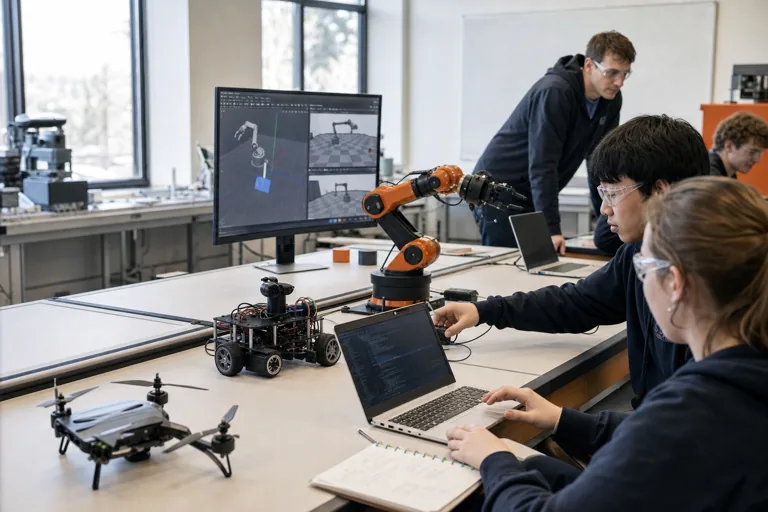
Students testing a robot arm, wheeled sensor robot, and physics simulation in a supervised lab
Students start on a computer. They use a real robot only after the safety setup is ready.
21courses with a final application
20university and lab projects
188guided sessions in total
0robots required to begin

Primary routes

Choose the student's primary AI education and portfolio route

CIT keeps the international-school route first, followed by the separate science and gifted-school route.

CIT lessons can run online across Korea and overseas or in person in Apgujeong. The student owns the question, code, tests and explanation; classes do not guarantee admission, selection or awards, and online delivery never changes an institution's submission rules.

Quick answers for families

What do teens do in CIT's university-research Physical AI courses?

These are 21 middle- and high-school robotics courses built from 20 reviewed public university or lab projects plus one RoboMaster course. Students explain the source research, reproduce a small working example, test one controlled change, and then build a useful feature, operator interface, and working app.

Research sources
Stanford, MIT, Caltech, Carnegie Mellon, UC Berkeley, Cornell, and Princeton appear first; other reviewed projects follow.
Student evidence
The research question, method, result, limit, code change, before-and-after test, failed case, and revision.
College admissions
The evidence shows what the student understood and extended. A university name alone is not evidence, affiliation, or an admissions guarantee.
Class formats
Online or in person in Apgujeong, Seoul; one-to-one or small group, with a computer-only starting path.

What is Physical AI?

Physical AI uses cameras or sensors to understand what is around it and then chooses a physical action. A robot arm that sees a block and picks it up is one example.

Students connect what the robot sees, how it decides, and how it moves. The baseline experiment is only the starting point: each course ends with a feature, a readable interface, integrated tests, and a working application the student can explain.

Every course moves from reading research to shipping a tested robotics application

Changing one condition is how the student learns the research method, not the final project. That evidence becomes a design requirement for a student-owned feature, interface, and tested application.

  1. UnderstandState the university research question, method, evidence, and limits in plain language.
  2. ReproduceRun the reviewed version and confirm one small baseline with the same input and success rule.
  3. MeasureChange one condition to learn what actually affects the result and where it fails.
  4. BuildImplement a course-specific feature and operator interface; add a bounded LLM tool only where it has a clear role.
  5. Test and defendRun normal, boundary, and failure cases, revise once, and demonstrate the student's own decisions.

21 robotics application studios

These courses do not end with an experiment report

The 20 courses are eight-session CIT studios in which students understand a public university or lab project, confirm a working example, and then turn it into a small robotics application with a useful feature and an operator interface. Selected courses add an optional LLM explanation tool that can read run records but cannot control the robot. RoboMaster has 28 sessions, and implementation scope is adjusted to each student's experience and computer access.

Courses ordered by research institution

Stanford, MIT, Caltech, Carnegie Mellon, UC Berkeley, Cornell, and Princeton appear first. Other university and independent projects follow in their existing order; use the readiness path on each card to choose a suitable starting point.

01Research list #1

Originated at Stanford SVL, maintained by the ARISE Initiative

Stanford robosuite: How Robot Arms Pick Up Objects

Run a simulated robot arm that lifts an object or opens a door. Change the camera position and movement method to compare why it succeeds or fails.

Student-built applicationA robot-arm pickup app with a retry feature, experiment controls, and an evidence-grounded explanation tool

Readiness path
Robot arms, balance, and routes
Level
Beginner to intermediate
Hardware
Not required
First project
4-8 hours
Open course introduction
02Research list #7

Originated at Stanford SVL, maintained by the ARISE Initiative

Stanford robomimic: Learning Robot Actions from Demonstrations

Replay robot actions demonstrated by people, then compare how the number of examples and camera information affect learning success.

Student-built applicationA robot-demonstration app for selecting examples, checking quality, and tracking learning results

Readiness path
Robots that learn from practice
Level
Intermediate
Hardware
Not required
First project
4-8 hours
Open course introduction
03Research list #8

Stanford ILIAD

Stanford CARLO: Safe Intersection Experiments

Move cars and pedestrians through a simple on-screen intersection. Change speed and the rule that chooses direction to see when crash risk rises.

Student-built applicationAn autonomous-driving safety simulator for creating intersection rules and testing near-collisions and automatic stopping

Readiness path
Self-driving and drones
Level
Beginner
Hardware
Not required
First project
2-4 hours
Open course introduction
04Research list #15

Stanford Vision and Learning Lab

Stanford BEHAVIOR-1K: Teaching Household Tasks

Choose one household chore and define the object conditions and action order a robot must check. Compare success when the starting layout changes.

Student-built applicationA household-robot mission app that turns a task request into a safe action sequence and shows state, failure, and help requests

Readiness path
Current robot AI research
Level
Advanced
Hardware
Not required
First project
8-20 hours
Open course introduction
05Research list #2

MIT, Russ Tedrake's Robotic Manipulation

MIT Robot Arms: See, Grasp, and Plan

Use MIT's public robot-arm materials to learn, step by step, how a robot finds an object, grasps it, and carries it around obstacles.

Student-built applicationA robot-arm mission-design app that lets students place obstacles, compare routes, and inspect each execution stage

Readiness path
Robot arms, balance, and routes
Level
Intermediate
Hardware
Not required
First project
6-12 hours
Open course introduction
06Research list #6

MIT, Russ Tedrake's Underactuated Robotics

MIT: How Unstable Robots Regain Balance

Experiment with how a pendulum or a pole balanced on a moving cart automatically regains balance. Difficult equations are explained with motion graphs.

Student-built applicationA robot-balance control app for selecting correction methods and testing recovery from different starting positions

Readiness path
Robot arms, balance, and routes
Level
Intermediate
Hardware
Not required
First project
6-12 hours
Open course introduction
07Research list #10

MIT RobotLocomotion

MIT Drake: Robot Motion and Route Planning

Set a simulated robot's weight, friction, and joints, then create a route around obstacles. Compare on screen how each setting changes the result.

Student-built applicationA robot path-planning app for editing obstacles and comparing fallback routes and collision clearance

Readiness path
Robot arms, balance, and routes
Level
Intermediate
Hardware
Not required
First project
8-16 hours
Open course introduction
08Research list #13

Caltech AMBER Lab

Caltech AMBER: Robot Balance Experiments

Inspect a simulated robot's joints and motion, then change motor strength and starting pose to find when it loses balance.

Student-built applicationA simulated-robot balance app that detects fall conditions and demonstrates recovery or a safe stop

Readiness path
Robot arms, balance, and routes
Level
Intermediate
Hardware
Not required
First project
6-12 hours
Open course introduction
09Research list #12

Carnegie Mellon Robotics Institute, Intelligent Control Lab

Carnegie Mellon SPARK: Human-Shaped Robot Safety

Test a safety feature that stops a simulated human-shaped robot from getting too close to people and obstacles. Compare safety with task completion.

Student-built applicationA humanoid safety-supervisor tool that balances task progress with clearance and explains every intervention

Readiness path
Current robot AI research
Level
Advanced
Hardware
Not required for simulation
First project
10-20 hours
Open course introduction
10Research list #18

UC Berkeley RAIL

UC Berkeley SERL: Learning with Less Practice Data

Teach the same simulated robot task with position-and-speed numbers, camera images, and human demonstrations. Compare which input reduces the practice needed.

Student-built applicationA robot-learning management app that tracks learning efficiency and requests demonstrations when needed

Readiness path
Robots that learn from practice
Level
Intermediate to advanced
Hardware
Not required for franka_sim
First project
6-12 hours
Open course introduction
11Research list #11

Cornell EmPRISE Lab

Cornell RCareWorld: Safe Assistive Robots

Design a simulated care robot that hands an object to a person. Set its safe distance, action order, and request for help when it cannot finish.

Student-built applicationA care-robot mission app that checks state and stops to request help when a task becomes unsafe

Readiness path
Robot arms, balance, and routes
Level
Intermediate
Hardware
Not required
First project
6-12 hours
Open course introduction
12Research list #14

Princeton IROM with Toyota Research Institute

Princeton AdaptSim: Closing the Simulation-to-Reality Gap

A simulated robot behaves differently when its weight or friction does not match reality. Test which adjustment reduces that difference.

Student-built applicationA robot-calibration tool that finds physics settings that reduce the simulation-to-reality gap and saves a settings profile

Readiness path
Robots that learn from practice
Level
Advanced
Hardware
Not required
First project
12-24 hours
Open course introduction
13Research list #3

UC San Diego Hao Su Lab and SAPIEN

UCSD ManiSkill: Teaching Many Simulated Robots at Once

Train many simulated robots at the same time and compare how object size, friction, and goal position affect what they learn.

Student-built applicationA robot-learning experiment dashboard that batch-tests training conditions and compares failure scenes

Readiness path
Robots that learn from practice
Level
Beginner-intermediate, advanced for training
Hardware
Not required
First project
4-10 hours
Open course introduction
14Research list #4

Georgia Tech based, by Frank Dellaert and Seth Hutchinson

Georgia Tech: Robot Sensors and Position Finding

Run an example in which a robot uses a map and sensor readings to find its position. Graph how its estimate changes as sensor error grows.

Student-built applicationA robot-localization tool for changing sensor combinations and error while viewing the estimate and its uncertainty

Readiness path
Start on a standard laptop
Level
Beginner
Hardware
Not required
First project
3-6 hours
Open course introduction
15Research list #5

UIUC SIGRobotics, ACM@UIUC

UIUC LeKiwi: Build and Test a Simulated Robot

Change the body, wheels, joints, weight, and friction of a simulated robot and see how each value affects its motion.

Student-built applicationA LeKiwi design tool for changing robot settings, checking collision risk, and comparing movement

Readiness path
Start on a standard laptop
Level
Beginner
Hardware
Not required
First project
2-4 hours
Open course introduction
16Research list #9

Georgia Tech RL2

Georgia Tech MimicLabs: Creating Robot Practice Data

Turn a small number of robot demonstrations into many practice scenes, then check whether the larger set adds useful variety or repeats mistakes.

Student-built applicationA robot-data review tool for selecting practice scenes and finding duplication, gaps, and bias

Readiness path
Robots that learn from practice
Level
Intermediate to advanced
Hardware
Not required
First project
8-16 hours
Open course introduction
17Research list #16

Columbia, TRI, and UIUC collaboration

Columbia AI: Predicting What Happens Next

Place an AI-predicted next scene beside one calculated with physics. See which errors build up as the AI predicts farther ahead.

Student-built applicationA scene-comparison tool that synchronizes AI prediction with physics simulation and finds the first divergence

Readiness path
Current robot AI research
Level
Advanced
Hardware
Not required
First project
8-20 hours
Open course introduction
18Research list #17

Columbia and UIUC researchers

Columbia PhysTwin: Turning Video into a Virtual Model

Build a virtual model that moves like the cloth or rope in a video. Make the material harder or softer, change the pushing force, and compare it with the recording.

Student-built applicationA digital-material experiment tool for overlaying video and simulation and fitting material settings

Readiness path
Current robot AI research
Level
Advanced
Hardware
Not required with provided data
First project
10-20 hours
Open course introduction
19Research list #19

University of Pennsylvania Kumar Robotics, GRASP

UPenn HALO: Finding Drone Targets from Language

Study a simulated drone using one camera to find a target named in words. Compare its route and success when the instruction changes.

Student-built applicationA drone-search app that resolves ambiguous language with a follow-up question and searches only for an approved target

Readiness path
Self-driving and drones
Level
Advanced
Hardware
Not required for simulation
First project
12-24 hours
Open course introduction
20Research list #20

Harvard Edge Computing Lab

Harvard AirLearning: Teaching Drones to Avoid Obstacles

Safely study an older public drone-learning project in a current environment. Use saved runs to compare how obstacles and camera errors affect crashes.

Student-built applicationA drone-training simulator for building obstacle scenes and testing both learned behavior and an independent safety stop

Readiness path
Self-driving and drones
Level
Advanced, legacy
Hardware
Not required for simulation
First project
12-24 hours
Open course introduction
21Included RoboMaster course

CIT course based on DJI RoboMaster and an independent public repository

RoboMaster: Responding to Voice, Gesture, and Vision Safely

Combine voice, gesture, camera, and distance signals to move a robot. Build safeguards that stop it when communication fails or sensor data arrives late.

Student-built applicationA RoboMaster rescue-mission console that combines multiple inputs while enforcing student approval and automatic stopping

Readiness path
Start on a standard laptop
Level
Middle school and above, readiness-based routes
Hardware
RoboMaster optional, dry-run available
First project
8-20 hours
Open course introduction

Where should a student start?

Standard laptop
CARLO, Georgia Tech sensors and position, LeKiwi, robosuite
Comfortable with calculus
MIT balance and control, Drake, MIT robot arms
Ready to study how robots learn
ManiSkill, robomimic, MimicLabs, SERL
High-performance computer
SPARK, BEHAVIOR-1K, next-scene prediction, PhysTwin
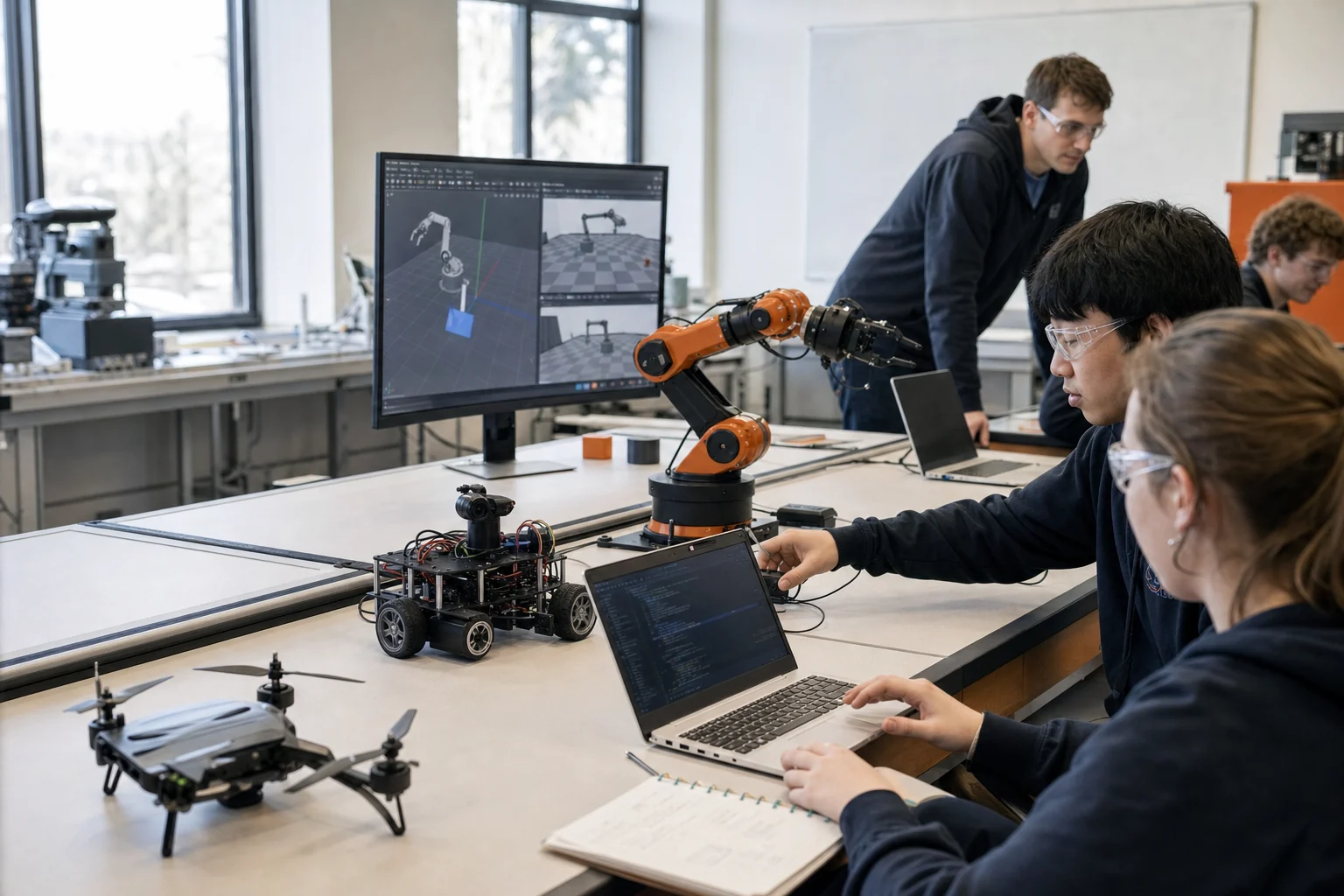
Robot manipulation and simulation work in a classroom lab

See exactly which public project each course uses

The 20 courses are eight-session CIT studios in which students understand a public university or lab project, confirm a working example, and then turn it into a small robotics application with a useful feature and an operator interface. Selected courses add an optional LLM explanation tool that can read run records but cannot control the robot. RoboMaster has 28 sessions, and implementation scope is adjusted to each student's experience and computer access. University and lab names show where each public project came from. CIT independently designed these courses; they are not official university courses, partnerships, or endorsements.

  • The exact reviewed project version and date
  • The computer and optional hardware needed
  • Usage-rights notes and warnings about older software
  • A computer-only path when no robot is available

Questions families ask

Clear answers about what students do, what they need, and where the project came from.

What is Physical AI?

Physical AI is AI that uses cameras or sensors to understand what is around it and then chooses a physical action. A robot arm that sees a block and picks it up is one example.

Do students need to own a robot?

No. Every course can begin with a robot shown on the computer or with a saved recording of a completed run. Real hardware is optional and is used only with approval, direct supervision, movement limits, and an immediate stop button.

Which course should a beginner choose?

Students new to robotics can start with LeKiwi, the Georgia Tech sensor and position course, Stanford CARLO, or the RoboMaster practice mode. We then recommend the next course based on the student's coding, math, and computer experience.

Are these official university courses?

University and lab names show where each public project came from. CIT independently designed these courses; they are not official university courses, partnerships, or endorsements.

What does a student build beyond reproducing an experiment?

Every course adds a course-specific function and a clear operator interface. Selected courses also include an optional LLM tool that can explain saved evidence or draft an allowlisted plan, but it cannot send robot commands or bypass human approval. The final application is tested on normal, boundary, and failure cases.

How can this work show research understanding in a college application?

The student first explains the university research question, why it matters, the method, evidence, and limits. The student then demonstrates a feature and interface they designed, shows tests and failed revisions, and identifies what remains unresolved. A university name or course title alone is not admissions evidence and never guarantees admission.

Why is RoboMaster included?

RoboMaster lets students connect voice, gesture, camera, Wi-Fi, distance sensors, movement, and emergency stopping in one robot. That makes it a clear Physical AI project.

Are Physical AI courses available online or in person, in one-to-one or small groups?

Yes. CIT offers online and in-person classes in Apgujeong, Gangnam-gu, Seoul, with one-to-one and small-group options. Students can run simulations, review examples, record experiments, and explain results in every format. Hardware activities are adjusted to the student's setup, and current availability is confirmed during consultation.

Choose a first project the student can finish and explain.

A readiness consultation uses the student's coding, math, computer access, interests, and project goal to recommend one clear starting course.

Request a course consultation