Computer vision
Technology that turns image pixels into measurements such as location, colour, shape, and candidate labels.
Displaying a camera feed is not by itself computer vision, and a box is evidence: not a confirmed understanding of reality.
Students extend one small Python program through eight steps: input, process, memory, output, feedback, wireless messages, encryption, computer vision, AI, and an AI agent. Classes are available online or in person in Apgujeong, in 1:1 and small-group (1:n) formats.
Written by the CIT education team | Reviewed by the CIT curriculum team | Last checked 30 August 2026 | Next review when DJI updates S1 support or its command list
PRIMARY STUDENT ROUTES
The RoboMaster project is designed inside the student's primary route. CIT keeps the international-school route first and the separate science and gifted-school route second.
This is the RoboMaster S1. Rollers sit at an angle on all four wheels, so it can move sideways without turning first. A single camera sits on the gimbal at the front, and that one camera is the robot's only window onto the world.
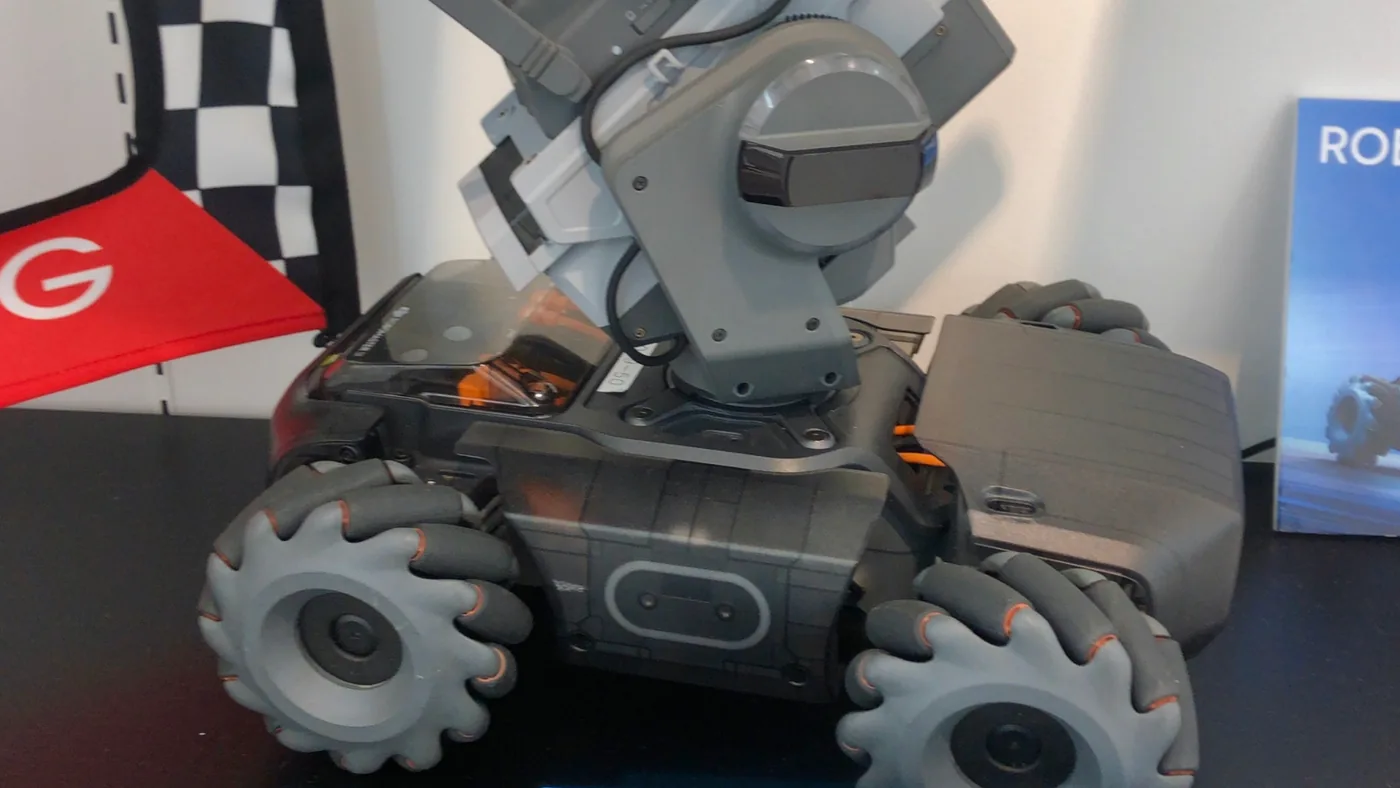
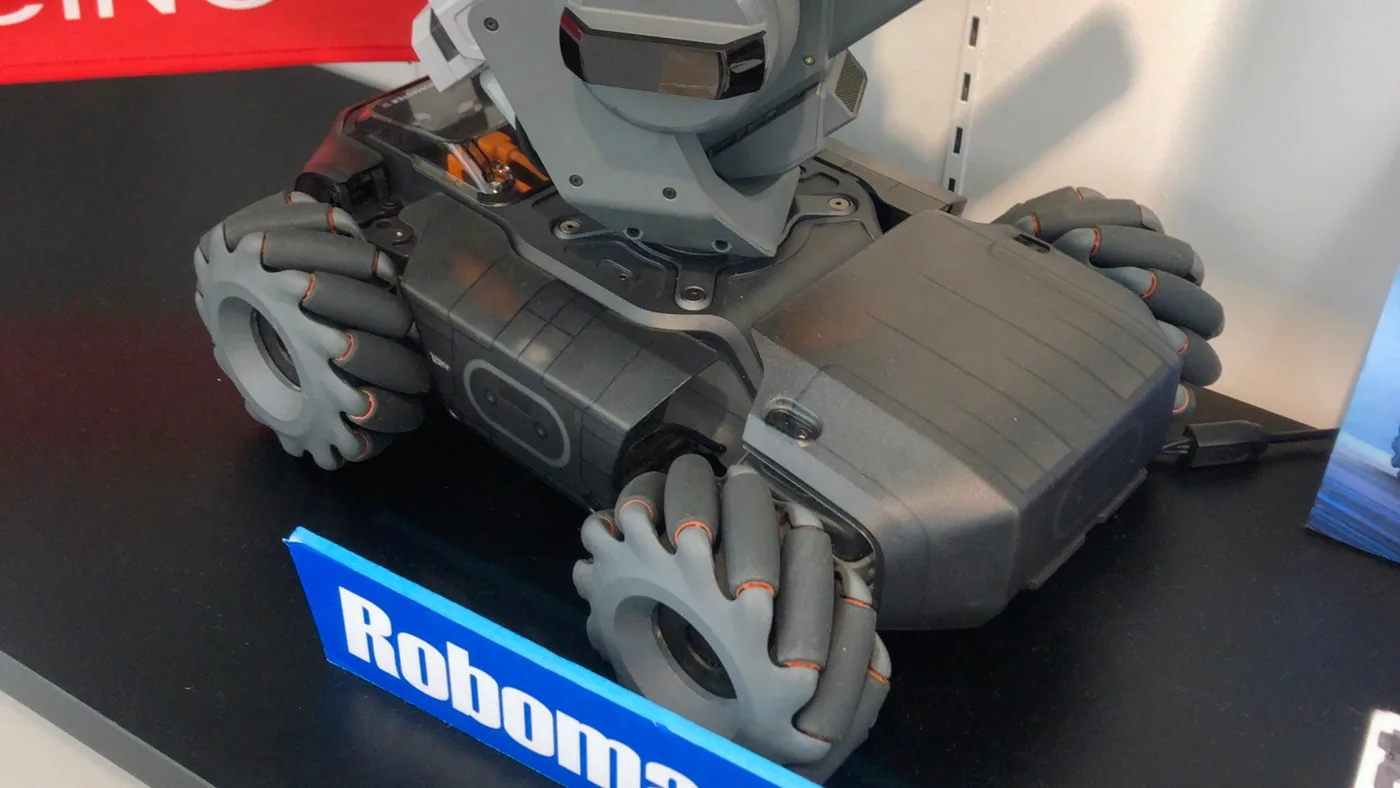
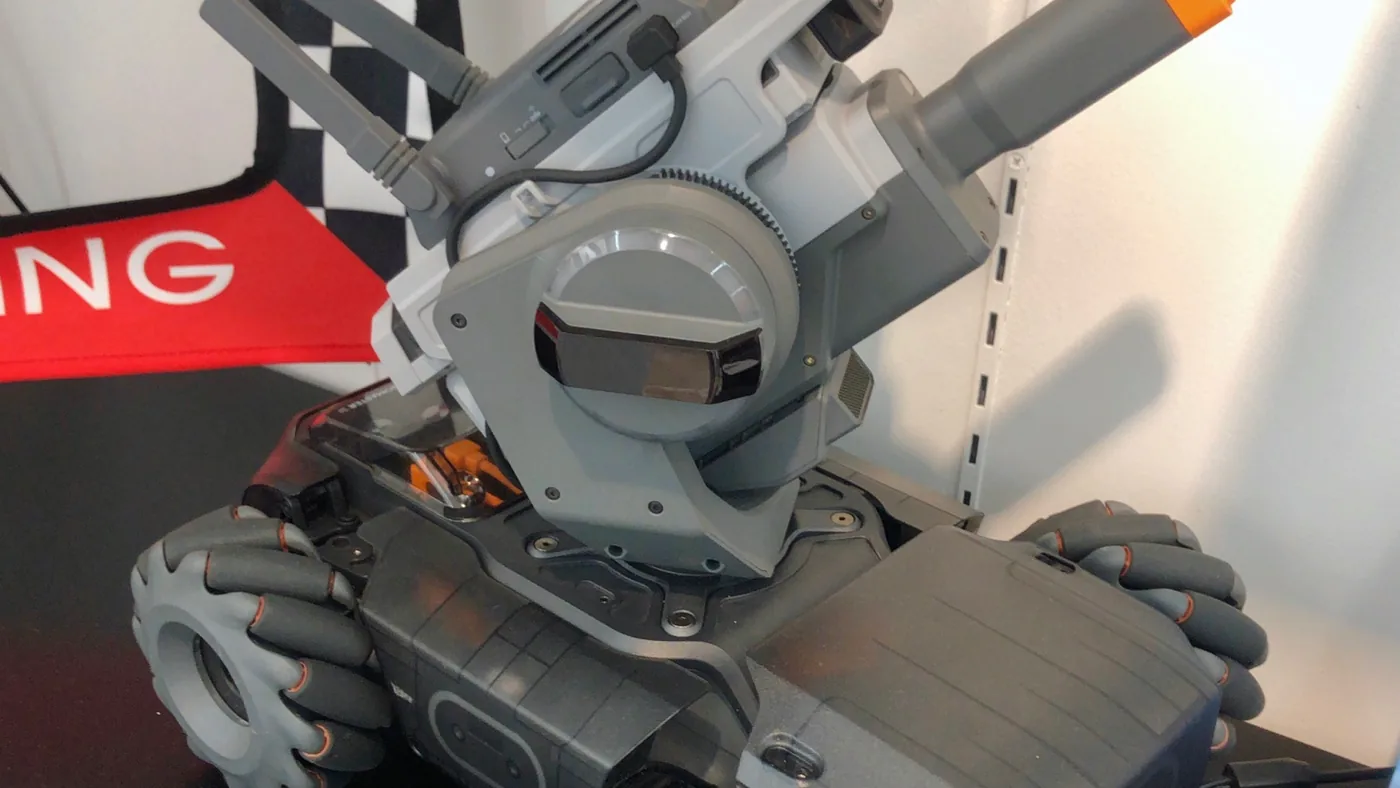
Photographs by KKPCW, Wikimedia Commons, CC BY-SA 4.0
Most RoboMaster examples online assume an EP. Follow them and a student learns code that does not run on the robot in front of them, with no way to find out why. CIT checks every call used in class against DJI's published S1 command list.
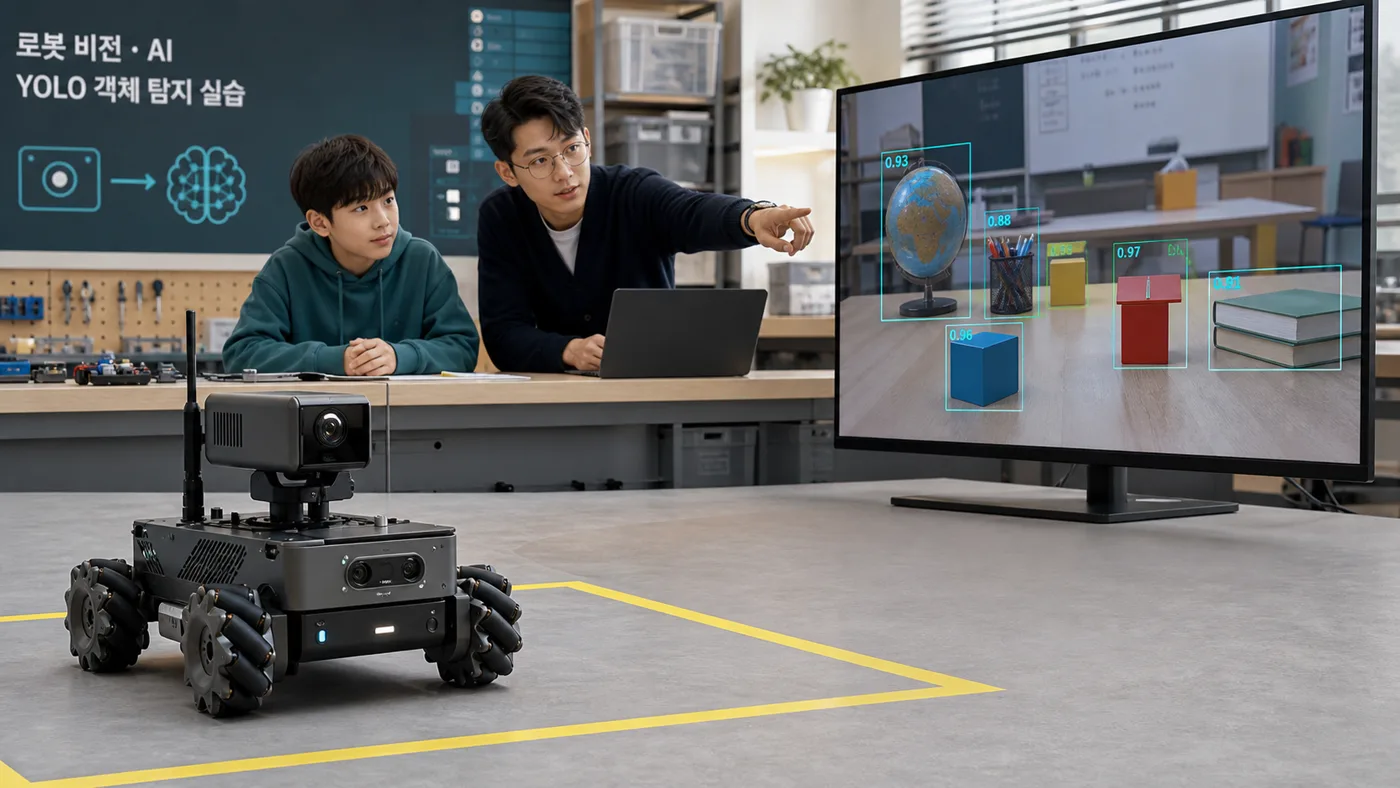
The S1's built-in vision is fixed at five detectors: marker, line, person, robot and pose. Lab Python cannot reach camera frames, so a student's own model cannot run inside the robot. It runs on the laptop instead.
Treat the two as one thing and a student can no longer say what their own system knows. In class we always record which side made which judgement, and the decision to stop stays with the robot as well. Recognition on the robot is fast but fixed in kind; YOLO on the laptop is slower and sees far more.
IMPLEMENTATION ARCHITECTURE
Every step keeps the previous code, so students can see exactly where a new concept enters. Python is not AI itself: it gives inputs names and types, then connects process, memory, rules, communication, AI, and output.
step_01step_02step_03step_04step_05step_06step_07step_08Buttons, a light sensor, camera Frames, and wireless Messages cross the system boundary.
Python · RobotInput, Frame, and Message dataclasses give each value a name and type.
The program cleans raw values, measures pixels, and asks a learned AI model for a prediction when needed.
Python · process_input(), measure_bright_region(), and encode_message() each own one job.
Current and previous values, the latest AI candidate, and its run of fresh frames live briefly during execution.
Python · WorkingMemory and ObservationMemory make values and their lifetimes visible.
If rules and risk-specific thresholds select a possible output. A lower person threshold can only make a protective stop arrive sooner.
Python · decide() and evaluate_prediction() check score, freshness, and permission together.
The system emits display text, LED, sound, encrypted bytes, and a safety state. The laptop steps always keep the chassis at STOP.
Python · RobotOutput makes the boundary between human-facing and robot-facing output explicit.
A new input returns after each output and is compared with the previous value. Loss, delay, or error leads to HOLD or STOP.
Python · tick(), timestamps, and traces explain the next loop and its causes.
Every box uses a name from the project. The final SystemTrace lets a student walk backwards through the values and decision that caused the output.
RobotInput(
button, light
)
raw values
process_input(
raw
)
clean values
memory.update(
processed
)
current + previous
decision =
decide(snapshot)
if + policy
make_output(
decision
)
display·LED·STOP
SystemTrace(
...
)
cause trail
system.tick(
next_input
)
new input
The laptop project verifies every stage without motion. A separate S1 Lab Python example teaches physical output with short actions, an explicit stop, and teacher supervision.
Memory and storage are different. WorkingMemory briefly holds current and previous values while the program runs. Python files and AI model weights remain after shutdown. A model weight is a number learned from examples, not a record remembering the current student or scene.
Technology that turns image pixels into measurements such as location, colour, shape, and candidate labels.
Displaying a camera feed is not by itself computer vision, and a box is evidence: not a confirmed understanding of reality.
A learned model uses patterns from examples to predict or generate something for a new input. YOLO detection is one example.
HSV thresholds, if rules, and a watchdog remain rule-based code even when they run automatically.
The whole system repeats goal, observation, memory, decision, action, and feedback. RobotAgent connects an AI prediction to an explainable Python policy.
One AI score is not permission to act. This project's chassis output is always STOP, and an object result is shown for human confirmation only.
The 0.30 and 0.70 below are comparison values for class, not defaults. Real values must be measured again on fixed validation data, camera, lighting, and distance.
Missing a person costs more than an unnecessary stop, so a protective output arrives early. This score never authorises approach.
Even after higher confidence and several fresh observations, the result is only explained on screen. A teacher confirms it while the chassis stays at STOP.
Low, unstable, or old observations wait for the next frame, another sensor, or human confirmation while motion stays zero.
Key idea: lowering the person threshold means making the robot easier to stop, not easier to move.
PERSON-SAFETY CANDIDATE
Lower protective threshold → STOP, SLOW, or ALERT only
ORDINARY OBJECT DISPLAY
Validated threshold → candidate box and label
OBJECT RESULT CHECK
Higher evidence + several frames → teacher-confirmation display
STALE OR MISSING INPUT
Regardless of score, TTL + watchdog → zero motion
ELEMENTARY · GRADES 4-6
Six roles pass a frame and a stop card. The evidence is a six-arrow explanation, the three concepts in the student's own words, and a safe stop.
MIDDLE SCHOOL
Students follow RobotInput, JSON bytes, ciphertext, AI predictions, and consecutive-frame counts through tables and traces.
HIGH SCHOOL
Students test interfaces, message loss and latency, tamper rejection, stale data, and threshold policies with fake inputs and unit tests.
Wireless communication is the path that carries a message through the air. Encryption locks the content while it travels. Students draw meaning, representation, transport, protection, and permission as separate layers.
Layers stay separate. A Wi-Fi password protects network access, TLS protects a path, and app encryption protects a message. Permission and safety rules decide what even a valid message may do. Elementary students use a locked-box picture, middle-school students inspect bytes and loss, and high-school students test keys, tampering, and authorisation boundaries.
These are DJI's own videos. Everything shown in them is a built-in app feature. In class, students write the same behaviour themselves, one line at a time, in Lab Python.
CIT rechecks these manufacturer sources before teaching. DJI identifies RoboMaster Lab as the S1's official programming environment and lists Scratch and Python as supported languages. Its separate PC Python SDK repository explicitly targets the EP, so we do not present EP SDK examples as S1 Lab code.
Each lesson runs 80 to 100 minutes. Students extend eight runnable Python steps across 28 lessons. Elementary role work, middle-school data tracing, and high-school Python engineering differ in depth, but share one system map and safety standard.
Classify robot sensors, buttons, and cameras as inputs; Python as process; and LEDs, displays, and sound as outputs, then design a safe first run.
Trace values from RobotInput to SystemTrace, distinguish working memory from file storage, and experiment with loops and state change.
Turn a Message into JSON bytes and a packet, test loss and delay, and distinguish encoding, encryption, integrity, and authorisation.
Compare pixel measurement with learned prediction, read labels and confidence as evidence rather than truth, and count false positives and false negatives.
Choose thresholds by error cost, require fresh observations and permission, then build the observation→memory→decision→output→feedback loop.
Connect eight steps and 13 system diagrams into one story, then use unit tests, error tables, and run traces to prove the system fails safely.
No. Wireless describes how a packet travels; encryption protects the message content. Students test JSON encoding, a Wi-Fi-like link, Fernet encryption and tamper detection, and action permission as four separate layers.
Yes. The first step is a short program that turns button and number inputs into display and LED outputs. Elementary students then use roles and pictures, middle-school students trace values and state, and high-school students extend the same eight steps through functions and tests.
Student AI predictions and policies run safely on the laptop first. A separate S1 Lab Python example demonstrates input, process, memory, LED, sound, and an explicit stop on the physical robot. Every diagram names which Python runtime executes where.
All eight laptop steps emit chassis=STOP. A lower threshold for a possible person can only trigger STOP or ALERT sooner, never approach. Communication loss, delay, tampering, and stale input also become HOLD or STOP. Physical lessons stay behind a separate Lab boundary with teacher supervision.
Yes, to run the Python project and diagrams. The core course works on an ordinary Python 3 laptop, and saved inputs teach every fundamental concept without a GPU or live camera.
Grades 4-12. Elementary students use role cards and saved scenes, middle-school students trace real bytes, state, and thresholds, and high-school students study modules, security boundaries, and tests. A teacher approves installation privileges and physical motion.
Yes. Students keep eight runnable steps, 13 architecture diagrams, a false-positive/false-negative table, wireless-loss and ciphertext experiments, tests that prove safe stopping, and SystemTrace records. They present why one tick produced its output in age-appropriate language.
It depends on how the student enrols, so this is confirmed during the consultation. Where physical equipment is not used, the same objectives are covered through simulation and record analysis.
In the consultation, we choose role cards, data-and-state tracing, or module-and-test work as the starting depth. No pathway skips the distinctions among computer vision, AI, and AI agents or the safety standard. Consultation and placement test are free.