COMPUTER VISION + YOLO · 3 LEVELS
Teach AIto detect objects
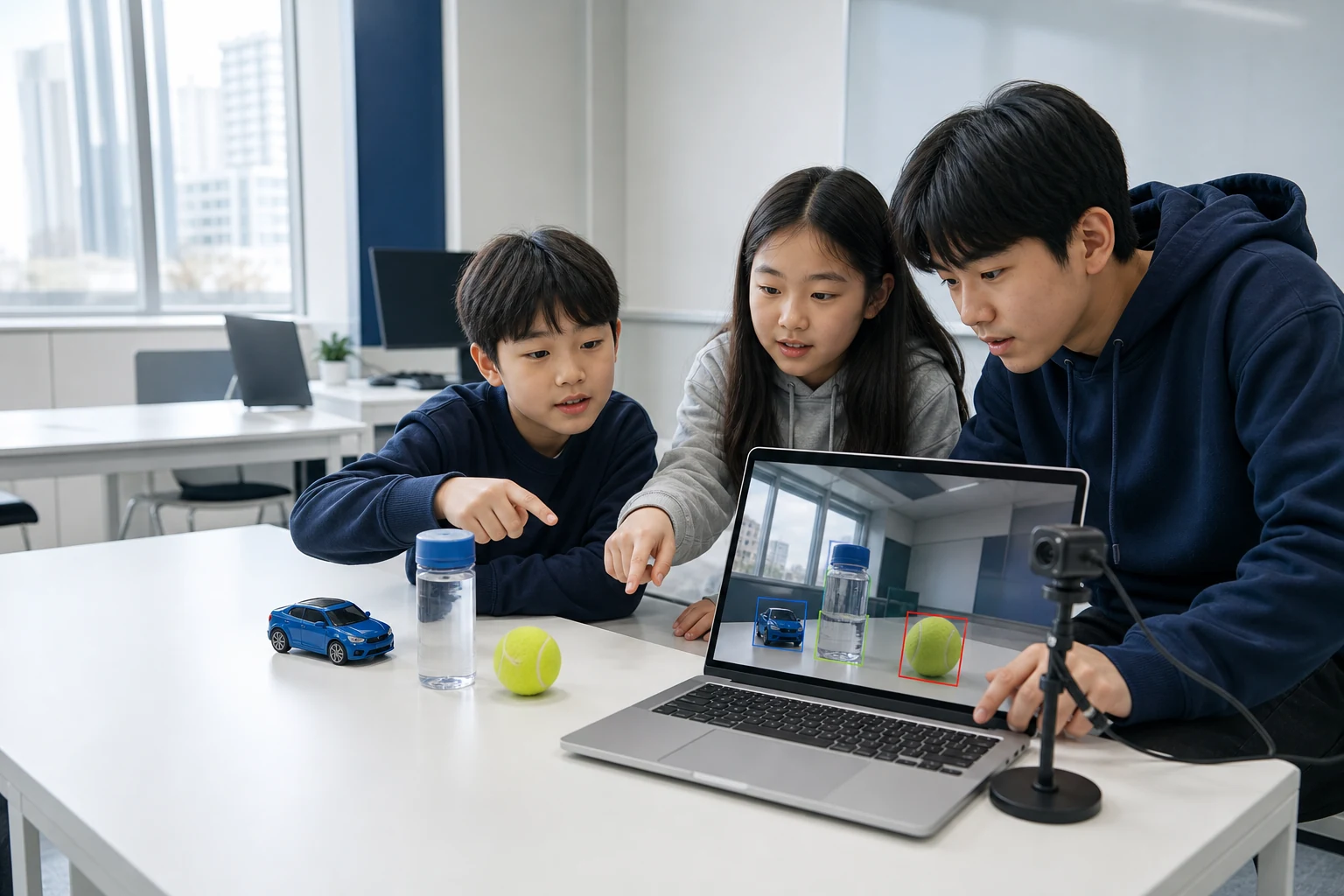
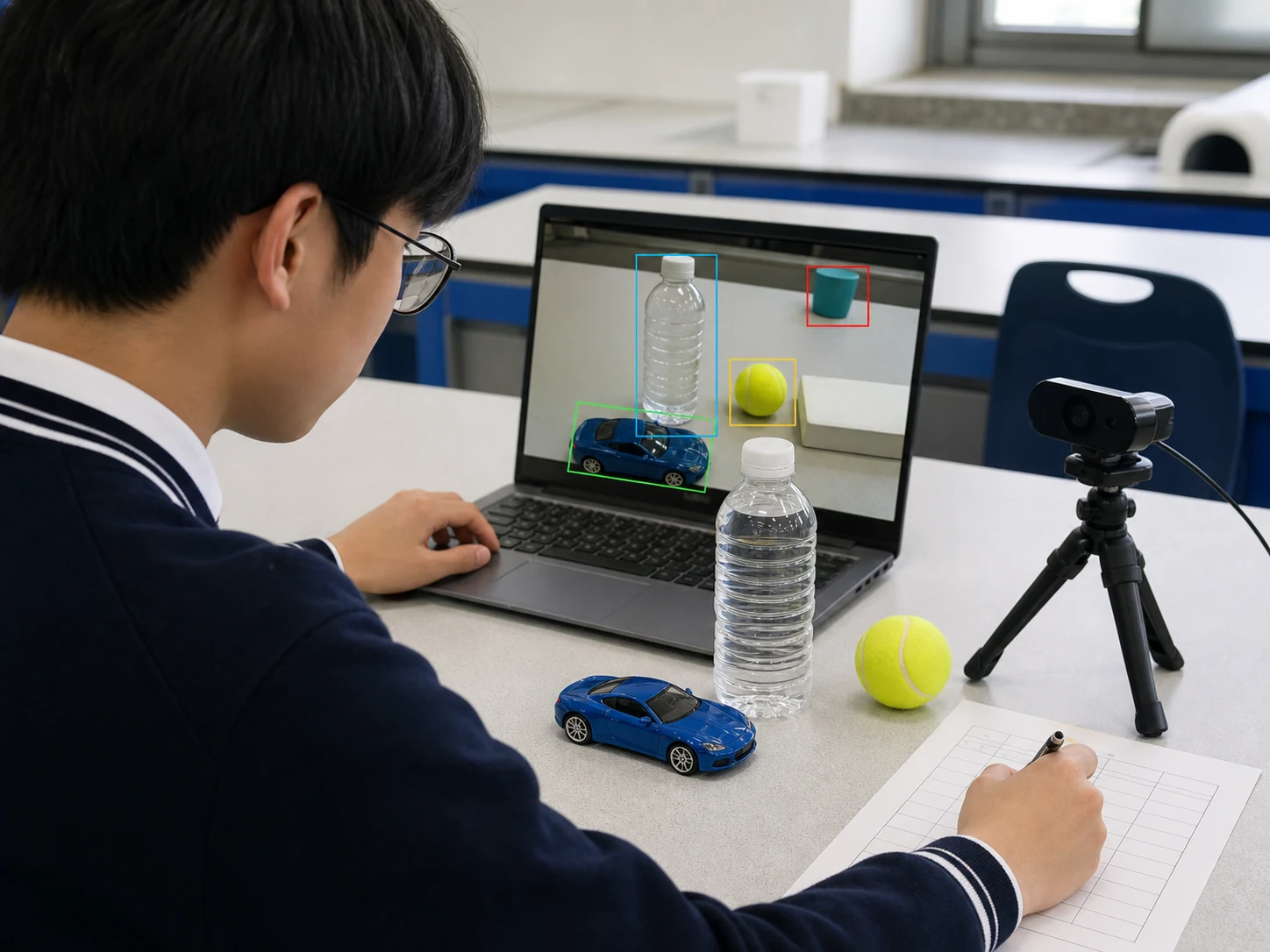
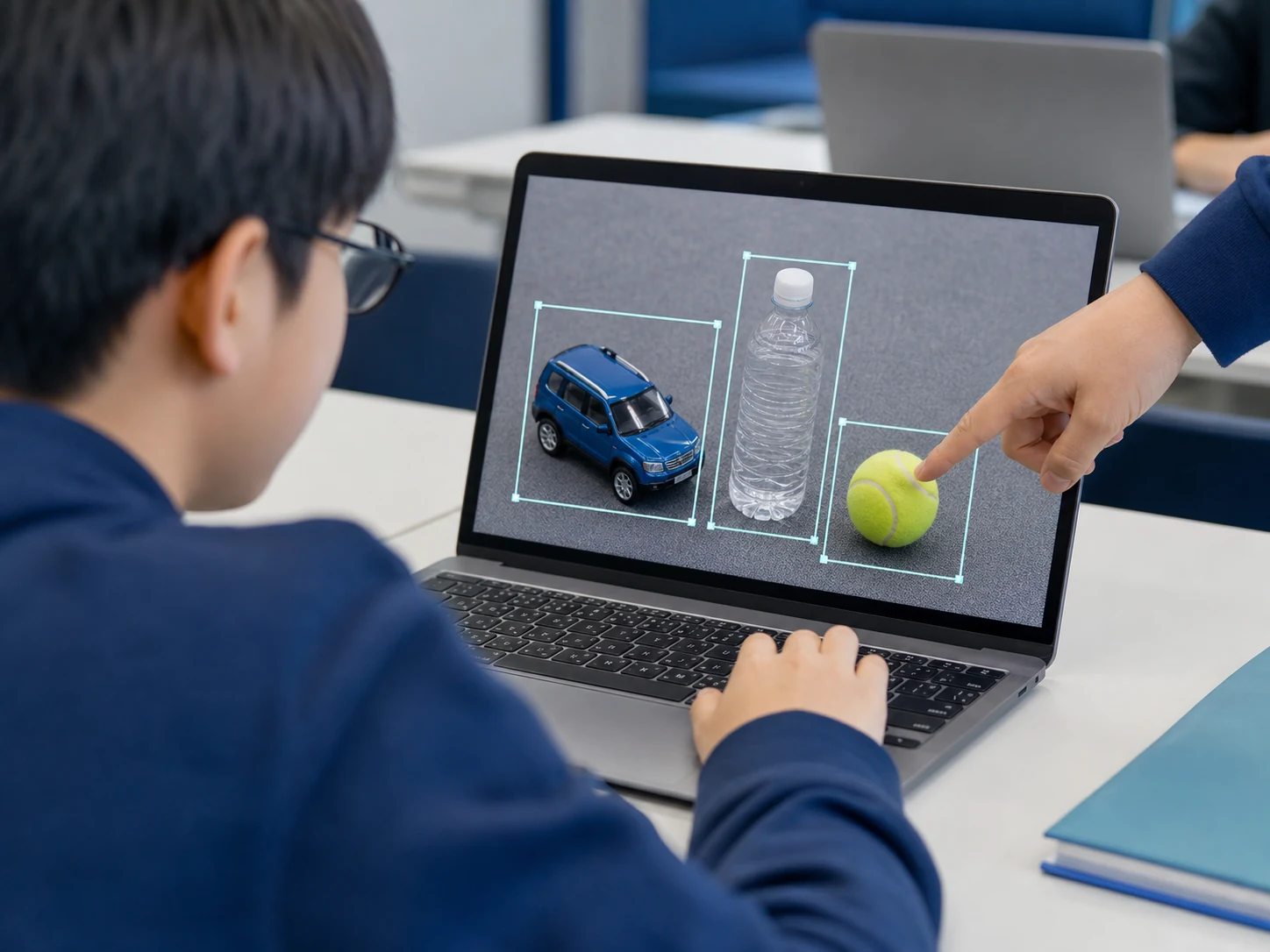
Collect objects, draw boxes, train YOLO, and test it live with a webcam.
CIT independently designed this course from the public Ultralytics repository and official documentation. It is not an official, certified, or jointly developed Ultralytics course.
SEE THE SYSTEM
Five roles working as one AI system
Every lesson connects Input, Memory, Process, Output, and Control as one unit. Control checks the result, changes one input, stored rule, or process step, and runs the system again.
An object photo or webcam frame enters the system.
 cupcar
EXPLORE THE PIPELINE
From one photo to a detection
This explorable diagram connects collection, labels, splits, training, validation, webcam use, and the safety boundary for a future robot.
CHOOSE YOUR DEPTH
One YOLO workflow, three levels of depth
Object Detectives: YOLO Computer Vision
Use an object detector, label two or three classroom objects, and train a small YOLO model with tutor support.
- Format
- 8 × 90 min
- Prerequisites
- Students can begin if they can open and save a file and compare two rows in a table. No Python experience is required. The tutor runs training commands while students explain data, predictions, and errors. The webcam points only at toys and classroom objects, never faces or private spaces.
- Milestone
- Object data card, before-and-after comparison, webcam Object Detective demo, and a child-friendly model card
01A camera turns the world into numbers
What is different when a person sees a toy car and when a computer receives a photo?
EvidenceA four-part card separating human descriptions from pixel input
- InputData in
The lesson question and a fixed non-personal example: What is different when a person sees a toy car and when a computer receives a photo?
- MemoryStored state
The rules and intermediate record kept for the next step: An observation board showing one object under different light, distance, and direction
- ProcessTransform
Compare, build, and test with these ideas: pixel, image, input, computer vision.
- OutputResult
A four-part card separating human descriptions from pixel input
- ControlCheck and adjust
Inspect one success and one failure, change one input, stored rule, or process step, and test again.
02Naming an object versus locating it
How is saying that a car is present different from locating it in the image?
EvidenceA visual explanation comparing classification and detection
- InputData in
The lesson question and a fixed non-personal example: How is saying that a car is present different from locating it in the image?
- MemoryStored state
The rules and intermediate record kept for the next step: A detection sheet for reading boxes, labels, and confidence from a pretrained model
- ProcessTransform
Compare, build, and test with these ideas: classification, object detection, bounding box, confidence.
- OutputResult
A visual explanation comparing classification and detection
- ControlCheck and adjust
Inspect one success and one failure, change one input, stored rule, or process step, and test again.
03A useful photo set has variety
Why are many front photos of the same blue car not enough?
EvidenceAn object data card stating what will and will not be photographed
- InputData in
The lesson question and a fixed non-personal example: Why are many front photos of the same blue car not enough?
- MemoryStored state
The rules and intermediate record kept for the next step: A safe photo plan covering angle, size, background, and occlusion for two or three objects
- ProcessTransform
Compare, build, and test with these ideas: dataset, variation, background, data card.
- OutputResult
An object data card stating what will and will not be photographed
- ControlCheck and adjust
Inspect one success and one failure, change one input, stored rule, or process step, and test again.
04Draw answer boxes with one consistent rule
What answer does the model learn if only half of an object is inside the box?
EvidenceA small annotation set checked by a partner against three labeling rules
- InputData in
The lesson question and a fixed non-personal example: What answer does the model learn if only half of an object is inside the box?
- MemoryStored state
The rules and intermediate record kept for the next step: A set of consistently drawn answer boxes in the provided labeling tool
- ProcessTransform
Compare, build, and test with these ideas: annotation, class label, box consistency, quality check.
- OutputResult
A small annotation set checked by a partner against three labeling rules
- ControlCheck and adjust
Inspect one success and one failure, change one input, stored rule, or process step, and test again.
05Separate practice photos from test photos
Why is it not a fair test if the model has already seen the test photo?
EvidenceA split map explaining the role of train, validation, and test sets
- InputData in
The lesson question and a fixed non-personal example: Why is it not a fair test if the model has already seen the test photo?
- MemoryStored state
The rules and intermediate record kept for the next step: A color-card split that keeps one photo burst from leaking across sets
- ProcessTransform
Compare, build, and test with these ideas: train, validation, test, data leakage.
- OutputResult
A split map explaining the role of train, validation, and test sets
- ControlCheck and adjust
Inspect one success and one failure, change one input, stored rule, or process step, and test again.
06YOLO improves predictions through repetition
What changes after YOLO compares a wrong prediction with the answer?
EvidenceA learning-loop diagram connecting prediction, answer, difference, and weight update
- InputData in
The lesson question and a fixed non-personal example: What changes after YOLO compares a wrong prediction with the answer?
- MemoryStored state
The rules and intermediate record kept for the next step: A comparison board saving early and later predictions from a tutor-run nano model training
- ProcessTransform
Compare, build, and test with these ideas: pretrained model, epoch, loss, weight.
- OutputResult
A learning-loop diagram connecting prediction, answer, difference, and weight update
- ControlCheck and adjust
Inspect one success and one failure, change one input, stored rule, or process step, and test again.
07Test new objects with a webcam
What should we test next if an object is found on a bright desk but missed on a dark background?
EvidenceA webcam test sheet containing both successful and failed cases
- InputData in
The lesson question and a fixed non-personal example: What should we test next if an object is found on a bright desk but missed on a dark background?
- MemoryStored state
The rules and intermediate record kept for the next step: A webcam object test changing light, distance, and occlusion one at a time
- ProcessTransform
Compare, build, and test with these ideas: inference, webcam frame, false positive, miss.
- OutputResult
A webcam test sheet containing both successful and failed cases
- ControlCheck and adjust
Inspect one success and one failure, change one input, stored rule, or process step, and test again.
08Object Detectives explain model limits
How can we show what our model does well and what should not yet be trusted?
EvidenceA child-friendly model card and a three-minute live demonstration
- InputData in
The lesson question and a fixed non-personal example: How can we show what our model does well and what should not yet be trusted?
- MemoryStored state
The rules and intermediate record kept for the next step: An Object Detective exhibit connecting photos, label rules, the training loop, and webcam tests
- ProcessTransform
Compare, build, and test with these ideas: model card, demo, evidence, limitation.
- OutputResult
A child-friendly model card and a three-minute live demonstration
- ControlCheck and adjust
Inspect one success and one failure, change one input, stored rule, or process step, and test again.
YOLO Vision Builders
Read the official GitHub repository, then run, train, and evaluate a custom three-class detector.
- Format
- 12 × 105 min
- Prerequisites
- Students should be able to read Python variables, conditionals, loops, and run one terminal command. Students with less coding experience begin from a provided notebook and fixed dataset. Datasets exclude faces, name tags, and private spaces, and webcam work uses an object-only zone.
- Milestone
- A reproducible GitHub repository, custom YOLO weights, error analysis, webcam demo, and model card
01Narrow the computer vision problem
Why does object detection fit our mission better than classification or segmentation?
EvidenceA three-class detection problem statement with success and failure examples
- InputData in
The lesson question and a fixed non-personal example: Why does object detection fit our mission better than classification or segmentation?
- MemoryStored state
The rules and intermediate record kept for the next step: A problem canvas comparing the inputs and outputs of three vision tasks
- ProcessTransform
Compare, build, and test with these ideas: task, classification, detection, segmentation.
- OutputResult
A three-class detection problem statement with success and failure examples
- ControlCheck and adjust
Inspect one success and one failure, change one input, stored rule, or process step, and test again.
02Reproduce pretrained YOLO first
What problems can an official example expose before we train anything?
EvidenceA reproduction note recording command, version, input, and output path
- InputData in
The lesson question and a fixed non-personal example: What problems can an official example expose before we train anything?
- MemoryStored state
The rules and intermediate record kept for the next step: A baseline run of one model on a fixed image and short video
- ProcessTransform
Compare, build, and test with these ideas: installation, pretrained weights, predict, Results.
- OutputResult
A reproduction note recording command, version, input, and output path
- ControlCheck and adjust
Inspect one success and one failure, change one input, stored rule, or process step, and test again.
03Read the GitHub repository as a tool map
Which questions are answered by the README, docs, source, issues, and license?
EvidenceA pinned commit link and current-documentation checklist
- InputData in
The lesson question and a fixed non-personal example: Which questions are answered by the README, docs, source, issues, and license?
- MemoryStored state
The rules and intermediate record kept for the next step: A repository map linking five sections to the questions they answer
- ProcessTransform
Compare, build, and test with these ideas: repository, commit, README, issue, license.
- OutputResult
A pinned commit link and current-documentation checklist
- ControlCheck and adjust
Inspect one success and one failure, change one input, stored rule, or process step, and test again.
04Define classes and edge cases first
What rule is needed when two similar objects belong to different classes?
EvidenceA dataset plan with class names, definitions, and boundary cases
- InputData in
The lesson question and a fixed non-personal example: What rule is needed when two similar objects belong to different classes?
- MemoryStored state
The rules and intermediate record kept for the next step: A class rule sheet listing included, excluded, and ambiguous examples
- ProcessTransform
Compare, build, and test with these ideas: class ontology, edge case, in scope, out of scope.
- OutputResult
A dataset plan with class names, definitions, and boundary cases
- ControlCheck and adjust
Inspect one success and one failure, change one input, stored rule, or process step, and test again.
05Collect across backgrounds and occlusion
How can we test why condition diversity matters more than raw photo count?
EvidenceA data card with condition coverage and exclusion reasons
- InputData in
The lesson question and a fixed non-personal example: How can we test why condition diversity matters more than raw photo count?
- MemoryStored state
The rules and intermediate record kept for the next step: An object-only image set covering light, background, distance, direction, and occlusion
- ProcessTransform
Compare, build, and test with these ideas: coverage, lighting, scale, occlusion, privacy.
- OutputResult
A data card with condition coverage and exclusion reasons
- ControlCheck and adjust
Inspect one success and one failure, change one input, stored rule, or process step, and test again.
06Audit YOLO labels and box quality
Why are box coordinates stored as numbers between zero and one?
EvidenceA QA log checking box tightness, class IDs, misses, and extra labels
- InputData in
The lesson question and a fixed non-personal example: Why are box coordinates stored as numbers between zero and one?
- MemoryStored state
The rules and intermediate record kept for the next step: An annotation audit that reconstructs one label row as a box
- ProcessTransform
Compare, build, and test with these ideas: normalized coordinate, class id, annotation QA, empty image.
- OutputResult
A QA log checking box tightness, class IDs, misses, and extra labels
- ControlCheck and adjust
Inspect one success and one failure, change one input, stored rule, or process step, and test again.
07Create splits without leakage
Why can near-duplicate frames across train and test inflate the score?
EvidenceA dataset YAML with split rules and duplicate-check results
- InputData in
The lesson question and a fixed non-personal example: Why can near-duplicate frames across train and test inflate the score?
- MemoryStored state
The rules and intermediate record kept for the next step: Train, validation, and test directories grouped by capture session
- ProcessTransform
Compare, build, and test with these ideas: group split, near duplicate, leakage, held-out test.
- OutputResult
A dataset YAML with split rules and duplicate-check results
- ControlCheck and adjust
Inspect one success and one failure, change one input, stored rule, or process step, and test again.
08Train a custom nano model
Why begin from pretrained weights instead of training from scratch?
Evidencebest.pt, results plot, configuration sheet, and rerun command
- InputData in
The lesson question and a fixed non-personal example: Why begin from pretrained weights instead of training from scratch?
- MemoryStored state
The rules and intermediate record kept for the next step: A first custom training run recording version, model, data YAML, epochs, and image size
- ProcessTransform
Compare, build, and test with these ideas: transfer learning, epoch, batch, checkpoint.
- OutputResult
best.pt, results plot, configuration sheet, and rerun command
- ControlCheck and adjust
Inspect one success and one failure, change one input, stored rule, or process step, and test again.
09Connect precision, recall, and mAP to visible errors
Which metrics distinguish a model with many false alarms from one that misses objects?
EvidenceAn evaluation card with per-class metrics and representative error images
- InputData in
The lesson question and a fixed non-personal example: Which metrics distinguish a model with many false alarms from one that misses objects?
- MemoryStored state
The rules and intermediate record kept for the next step: An evaluation board linking test metrics to visible false positives and false negatives
- ProcessTransform
Compare, build, and test with these ideas: precision, recall, IoU, mAP, confusion matrix.
- OutputResult
An evaluation card with per-class metrics and representative error images
- ControlCheck and adjust
Inspect one success and one failure, change one input, stored rule, or process step, and test again.
10Change one variable to reduce errors
Can we know what helped if data, threshold, and epochs all change together?
EvidenceAn experiment record with hypothesis, one variable, fixed conditions, result, and counterexample
- InputData in
The lesson question and a fixed non-personal example: Can we know what helped if data, threshold, and epochs all change together?
- MemoryStored state
The rules and intermediate record kept for the next step: A before-and-after experiment on one slice such as occlusion or dark backgrounds
- ProcessTransform
Compare, build, and test with these ideas: error slice, one-variable experiment, baseline, comparison.
- OutputResult
An experiment record with hypothesis, one variable, fixed conditions, result, and counterexample
- ControlCheck and adjust
Inspect one success and one failure, change one input, stored rule, or process step, and test again.
11Balance webcam confidence and speed
How do false alarms and misses change when the confidence threshold rises?
EvidenceA demo sheet with threshold rationale, latency observations, and failure cases
- InputData in
The lesson question and a fixed non-personal example: How do false alarms and misses change when the confidence threshold rises?
- MemoryStored state
The rules and intermediate record kept for the next step: A live webcam demo comparing two thresholds in an object-only zone
- ProcessTransform
Compare, build, and test with these ideas: webcam source, confidence threshold, latency, frame.
- OutputResult
A demo sheet with threshold rationale, latency observations, and failure cases
- ControlCheck and adjust
Inspect one success and one failure, change one input, stored rule, or process step, and test again.
12Package the project so another person can reproduce it
Can someone reproduce the result from code and best.pt alone?
EvidenceA reproducible repository, webcam demo, and five-minute technical explanation
- InputData in
The lesson question and a fixed non-personal example: Can someone reproduce the result from code and best.pt alone?
- MemoryStored state
The rules and intermediate record kept for the next step: A GitHub project documenting setup, data boundaries, execution, evaluation, failures, and license review
- ProcessTransform
Compare, build, and test with these ideas: README, environment, data card, model card, license.
- OutputResult
A reproducible repository, webcam demo, and five-minute technical explanation
- ControlCheck and adjust
Inspect one success and one failure, change one input, stored rule, or process step, and test again.
YOLO Computer Vision Research Studio
Reproduce a custom detector from pinned sources and defend dataset leakage, mAP, error slices, ablations, latency, and licensing choices.
- Format
- 16 × 120 min
- Prerequisites
- Experience with Python functions and classes, virtual environments, Git commits, and table-based analysis is recommended. Students should be comfortable with ratios, coordinates, averages, and confusion matrices. Projects use object-only datasets and exclude identity recognition, biometric inference, and unconsented recording.
- Milestone
- A version-pinned repository, custom detector, experiment table, robustness report, webcam application, model card, and technical defense
01Pin the environment and source
What must be recorded to reproduce today's result on another computer a month later?
EvidenceA clean-environment installation verification and first commit
- InputData in
The lesson question and a fixed non-personal example: What must be recorded to reproduce today's result on another computer a month later?
- MemoryStored state
The rules and intermediate record kept for the next step: An environment manifest recording Python, Ultralytics, model, device, and source commit
- ProcessTransform
Compare, build, and test with these ideas: virtual environment, package pin, commit SHA, reproducibility.
- OutputResult
A clean-environment installation verification and first commit
- ControlCheck and adjust
Inspect one success and one failure, change one input, stored rule, or process step, and test again.
02Separate public APIs from internal implementation
How should we separate stable CLI and Python APIs from internal code that may change?
EvidenceA change-risk table for CLI, Python API, configuration, and internal source
- InputData in
The lesson question and a fixed non-personal example: How should we separate stable CLI and Python APIs from internal code that may change?
- MemoryStored state
The rules and intermediate record kept for the next step: A repository map linking public entry points in the README and docs to source folders
- ProcessTransform
Compare, build, and test with these ideas: public API, CLI, Python API, configuration, internal module.
- OutputResult
A change-risk table for CLI, Python API, configuration, and internal source
- ControlCheck and adjust
Inspect one success and one failure, change one input, stored rule, or process step, and test again.
03Turn pretrained inference into a measurable baseline
What should be logged to compare predictions and latency across inputs instead of showing one polished demo?
EvidenceA baseline table covering input, device, image size, confidence, warm-up, and results
- InputData in
The lesson question and a fixed non-personal example: What should be logged to compare predictions and latency across inputs instead of showing one polished demo?
- MemoryStored state
The rules and intermediate record kept for the next step: A baseline script saving prediction output and timing on a fixed image set
- ProcessTransform
Compare, build, and test with these ideas: inference, confidence, latency, warm-up, batch.
- OutputResult
A baseline table covering input, device, image size, confidence, warm-up, and results
- ControlCheck and adjust
Inspect one success and one failure, change one input, stored rule, or process step, and test again.
04Approve the problem, baseline, and data boundary
How do we decide whether a simple rule or pretrained baseline is enough before training YOLO?
EvidenceA tutor-approved project charter and object-only data plan
- InputData in
The lesson question and a fixed non-personal example: How do we decide whether a simple rule or pretrained baseline is enough before training YOLO?
- MemoryStored state
The rules and intermediate record kept for the next step: A project charter covering goal, user, misuse, non-AI baseline, success metric, and stop condition
- ProcessTransform
Compare, build, and test with these ideas: problem formulation, baseline, data governance, go-no-go.
- OutputResult
A tutor-approved project charter and object-only data plan
- ControlCheck and adjust
Inspect one success and one failure, change one input, stored rule, or process step, and test again.
05Design the class ontology and ambiguity policy
How can annotation rules expose rather than hide ambiguous boundary cases?
EvidenceA two-annotator pilot and disagreement log
- InputData in
The lesson question and a fixed non-personal example: How can annotation rules expose rather than hide ambiguous boundary cases?
- MemoryStored state
The rules and intermediate record kept for the next step: An annotation guide defining classes, inclusion, exclusion, ambiguity, and unknown handling
- ProcessTransform
Compare, build, and test with these ideas: ontology, mutual exclusivity, ambiguity, unknown class.
- OutputResult
A two-annotator pilot and disagreement log
- ControlCheck and adjust
Inspect one success and one failure, change one input, stored rule, or process step, and test again.
06Validate YOLO box coordinates and annotation errors
How do incorrect normalized center coordinates break boxes after resizing?
EvidenceA report of invalid coordinates, missing labels, extra labels, and class mismatches
- InputData in
The lesson question and a fixed non-personal example: How do incorrect normalized center coordinates break boxes after resizing?
- MemoryStored state
The rules and intermediate record kept for the next step: An audit script that redraws label text files over images to verify range and class
- ProcessTransform
Compare, build, and test with these ideas: xywh, normalization, class index, annotation invariant.
- OutputResult
A report of invalid coordinates, missing labels, extra labels, and class mismatches
- ControlCheck and adjust
Inspect one success and one failure, change one input, stored rule, or process step, and test again.
07Prevent leakage with grouped splits
How should object instances and adjacent frames be grouped for an honest generalization test?
EvidenceA split manifest, seed, class-condition distribution, and leakage check
- InputData in
The lesson question and a fixed non-personal example: How should object instances and adjacent frames be grouped for an honest generalization test?
- MemoryStored state
The rules and intermediate record kept for the next step: A deterministic split script using capture session and object instance as group keys
- ProcessTransform
Compare, build, and test with these ideas: group key, near duplicate, distribution shift, held-out set.
- OutputResult
A split manifest, seed, class-condition distribution, and leakage check
- ControlCheck and adjust
Inspect one success and one failure, change one input, stored rule, or process step, and test again.
08Audit the dataset separately from augmentation
What is lost when real capture diversity and synthetic augmentation are treated as equivalent evidence?
EvidenceA dataset gap list and an approved augmentation hypothesis
- InputData in
The lesson question and a fixed non-personal example: What is lost when real capture diversity and synthetic augmentation are treated as equivalent evidence?
- MemoryStored state
The rules and intermediate record kept for the next step: An audit separating class, background, light, scale, occlusion coverage from augmentation plans
- ProcessTransform
Compare, build, and test with these ideas: coverage, imbalance, augmentation, domain gap.
- OutputResult
A dataset gap list and an approved augmentation hypothesis
- ControlCheck and adjust
Inspect one success and one failure, change one input, stored rule, or process step, and test again.
09Pre-register the transfer learning experiment
How can model, epochs, image size, metrics, and comparisons be fixed before seeing results?
EvidenceA timestamped experiment plan written before execution
- InputData in
The lesson question and a fixed non-personal example: How can model, epochs, image size, metrics, and comparisons be fixed before seeing results?
- MemoryStored state
The rules and intermediate record kept for the next step: An experiment plan fixing model, data, seed, epochs, image size, and metrics for a baseline and one follow-up run
- ProcessTransform
Compare, build, and test with these ideas: transfer learning, pre-registration, hyperparameter, checkpoint.
- OutputResult
A timestamped experiment plan written before execution
- ControlCheck and adjust
Inspect one success and one failure, change one input, stored rule, or process step, and test again.
10Track training runs and artifacts
Why preserve configuration, logs, plots, and code commits instead of only best.pt?
EvidenceA baseline training artifact pack and rerun verification
- InputData in
The lesson question and a fixed non-personal example: Why preserve configuration, logs, plots, and code commits instead of only best.pt?
- MemoryStored state
The rules and intermediate record kept for the next step: An experiment ledger linking run name, source commit, data hash, arguments, and output hash
- ProcessTransform
Compare, build, and test with these ideas: run directory, configuration, checkpoint, provenance.
- OutputResult
A baseline training artifact pack and rerun verification
- ControlCheck and adjust
Inspect one success and one failure, change one input, stored rule, or process step, and test again.
11Interpret mAP and PR curves through real errors
Why can a model with strong mAP50-95 still fail on one class or small objects?
EvidenceAn evaluation report defining metrics, threshold choice, and representative FP, FN, and localization errors
- InputData in
The lesson question and a fixed non-personal example: Why can a model with strong mAP50-95 still fail on one class or small objects?
- MemoryStored state
The rules and intermediate record kept for the next step: An evaluation notebook linking global, per-class, size, and condition-slice metrics
- ProcessTransform
Compare, build, and test with these ideas: IoU, precision-recall curve, mAP50-95, confusion matrix, per-class metric.
- OutputResult
An evaluation report defining metrics, threshold choice, and representative FP, FN, and localization errors
- ControlCheck and adjust
Inspect one success and one failure, change one input, stored rule, or process step, and test again.
12Find failure conditions with error slices
How can failures by light, occlusion, scale, and background be exposed behind an average score?
EvidencePrioritized failure slices and counterexample images
- InputData in
The lesson question and a fixed non-personal example: How can failures by light, occlusion, scale, and background be exposed behind an average score?
- MemoryStored state
The rules and intermediate record kept for the next step: A failure browser grouping errors by class, size, light, occlusion, background, and cause hypothesis
- ProcessTransform
Compare, build, and test with these ideas: error taxonomy, slice, false positive, false negative, localization error.
- OutputResult
Prioritized failure slices and counterexample images
- ControlCheck and adjust
Inspect one success and one failure, change one input, stored rule, or process step, and test again.
13Use an ablation to test one claim
How can we claim that one change in data, image size, or augmentation repaired a weak slice?
EvidenceAn ablation table covering metric, slice, latency, side effects, and conclusion
- InputData in
The lesson question and a fixed non-personal example: How can we claim that one change in data, image size, or augmentation repaired a weak slice?
- MemoryStored state
The rules and intermediate record kept for the next step: An ablation comparing the baseline with a one-variable run under the same test and latency conditions
- ProcessTransform
Compare, build, and test with these ideas: ablation, control, seed, effect, trade-off.
- OutputResult
An ablation table covering metric, slice, latency, side effects, and conclusion
- ControlCheck and adjust
Inspect one success and one failure, change one input, stored rule, or process step, and test again.
14Design a webcam inference pipeline and latency budget
How can capture, preprocessing, inference, postprocessing, and display bottlenecks be measured separately?
EvidenceA latency breakdown, threshold rationale, frame policy, and live demo
- InputData in
The lesson question and a fixed non-personal example: How can capture, preprocessing, inference, postprocessing, and display bottlenecks be measured separately?
- MemoryStored state
The rules and intermediate record kept for the next step: A Python webcam application with stage timing and a stale-frame policy in an object-only zone
- ProcessTransform
Compare, build, and test with these ideas: frame pipeline, latency budget, frame drop, stream buffer, threshold.
- OutputResult
A latency breakdown, threshold rationale, frame policy, and live demo
- ControlCheck and adjust
Inspect one success and one failure, change one input, stored rule, or process step, and test again.
15Review robustness, privacy, and licensing before release
What failures and rights must be reviewed before publishing or integrating a working demo?
EvidenceA robustness report, privacy boundary, model card, and release go-no-go decision
- InputData in
The lesson question and a fixed non-personal example: What failures and rights must be reviewed before publishing or integrating a working demo?
- MemoryStored state
The rules and intermediate record kept for the next step: A blur, glare, occlusion, unknown-object test plus a data, model, and code license checklist
- ProcessTransform
Compare, build, and test with these ideas: robustness, failure injection, privacy, model card, license review.
- OutputResult
A robustness report, privacy boundary, model card, and release go-no-go decision
- ControlCheck and adjust
Inspect one success and one failure, change one input, stored rule, or process step, and test again.
16Technical defense and a future robot interface contract
What keeps webcam detections from becoming immediate movement when a future Tello or RoboMaster adapter is added?
EvidenceA reproducible repository, live demo, poster, model card, limitations defense, and robot-free interface test
- InputData in
The lesson question and a fixed non-personal example: What keeps webcam detections from becoming immediate movement when a future Tello or RoboMaster adapter is added?
- MemoryStored state
The rules and intermediate record kept for the next step: A future adapter contract defining detection events, confidence, timestamps, no-detection state, and a separate safety controller
- ProcessTransform
Compare, build, and test with these ideas: interface contract, decision gate, watchdog, E-stop, technical defense.
- OutputResult
A reproducible repository, live demo, poster, model card, limitations defense, and robot-free interface test
- ControlCheck and adjust
Inspect one success and one failure, change one input, stored rule, or process step, and test again.
READ THE REPOSITORY
Read the YOLO GitHub as more than a code folder
A GitHub repository holds more than executable code. Connecting its README, docs, source, issues, releases, and license lets a student explain where a model came from and how to reproduce it.
GitHub · ultralytics/ultralytics ↗Reviewed baseline763f47e0e5b6Ultralytics 8.4.123yolo26n.pt
- README
What it does and how to begin
- docs
Official usage and current syntax
- ultralytics/
Source implementing models and tasks
- issues · releases
Known problems and change history
- LICENSE
Terms to review before reuse or deployment
LABEL · SPLIT · TRAIN · CHECK
Train on a small dataset and preserve the evidence
Image count comes after clear class rules, varied scenes, consistent boxes, and a leakage-resistant split. Students record the command, package version, model, data YAML, and result folder together.
pip install ultralytics==8.4.123
yolo detect train model=yolo26n.pt \
  data=data.yaml epochs=40 imgsz=640
Commands were checked against official documentation on 2026-08-20. Current docs are rechecked before class.
PERCEPTION BEFORE MOTION
Webcam now, moving robots later
Webcam detection is perception: it draws boxes on a screen. A future Tello or RoboMaster extension places a separate decision gate and safety controller between a detection and any motion.
PRIVACY BY DESIGN
Students can learn without filming people
The course uses student-chosen objects, fixed fixtures, and an object-only camera zone. Faces, names, home backgrounds, and private messages stay out of the dataset.
- Students control camera on and off
- Non-personal objects instead of faces
- Separate checks for dataset, model, and code licenses
QUESTIONS
Frequently asked questions
Do elementary students train YOLO themselves?
Students choose the images and box rules while the instructor runs a bounded training job. Students predict outcomes and compare failure cases.
Is a GPU required?
No. The course uses a small nano model and a bounded dataset. A verified output fixture preserves the same analysis when hardware is slow.
Do students just copy GitHub code?
They first reproduce an official quickstart while recording versions, sources, licenses, and changes. Then they vary one condition at a time.
Will students move a Tello or RoboMaster right away?
No. This course stops at webcam perception. A future robot connection is designed with mock events and a safety interface before any separate motion course.
Is the course online only?
No. We run in-person classes and instructor-led online classes. One-to-one and small group formats are set by the student's readiness and schedule.
START WITH THE RIGHT DEPTH
Choose the right starting depth together
Tell us the student's grade, coding experience, and the demo they want to build. We will suggest the right entry point.
Ask about the course