College application research evidence · understanding and original contribution · Seoul and online
Project courseThe student keeps the work and the record they made.
Building and Launching AI Apps
Placement by readiness: user flows across app screens...
- Free consultation and level check
- Apgujeong classroom or online
- One-to-one or small group
- Registered academy no. 11882

Is Building and Launching AI Apps a good fit for students placed by current readiness?
Building and Launching AI Apps is a good fit for students whose starting point should be set by current readiness who are interested in user flows across app screens and accuracy checks for AI responses. CIT offers online or in-person lessons in Apgujeong, Gangnam, Seoul, in one-to-one or small-group formats. Students make a deployable AI app with a release checklist, a scored check set with a before-and-after table, and a 5-minute presentation.
Starting from an earlier PRD, or a one-page problem definition and sketches of the key screens, students fix the build scope, compare a web app, a Python app, and a Flutter app on five criteria, and set up a repository with branch rules. They build input, list, and detail screens with storage and API calls, handle malformed AI responses by failure type, and score results against a known-answer check set, changing one thing at a time. Tests use fictional data only, API keys stay out of the code, and the app is released to the chosen audience after a pre-release checklist. The student sets their own question, then designs and tests a feature, model, interface, or solution of their own. In an application or interview, the student separates the material they drew on from their own decisions, results, failed attempts, revisions, and limits.
Google sign-in is required. Existing account permissions determine access.
My child found the AI classes interesting and stayed with them. It made for a worthwhile school break. Thank you for teaching so attentively.
- Age group
- Placement by readiness
- Academic subject
- AI & Data, Computer Science & CodingBrowse subject
- Course type
- Course
- Format
- Online or Apgujeong in person · one-to-one or small group
- Teaching language
- Korean by default, with complete English materials
- Curriculum status
- Learning studioA structured learning studio with goals, deliverables, and follow-up work is available. Tutors confirm supporting materials before delivery.
From open research to student-owned work
Students inspect a relevant public source, reproduce the idea, then add an original question, feature, or test. Every source is public, and each lesson names the exact page it opens.
How can I explain this course to my child?
If questions about user flows across app screens or accuracy checks for AI responses keep making you ask why, Building and Launching AI Apps lets you investigate the question with evidence, then build and defend an extension of your own.
Which interests suggest this course?
- user flows across app screens
- accuracy checks for AI responses
- release scope for a student app
What does the student finish?A deployable AI app with a release checklist, a scored check set with a before-and-after table, and a 5-minute presentation.
Is this a good fit?
A strong fit for students who want to understand, build, test, or responsibly use AI systems.
Placement follows a short readiness check.
Beginners may start with guided templates.
More experienced students receive a deeper implementation path.
What will my child learn?
- Choose a stack by weighing features, deployment, supported devices, difficulty, and setup limits, and record the reasons and trade-offs.
- Build input, list, and detail screens that handle empty or invalid values and both empty and long lists.
- Keep API keys out of the code and repository, and handle AI response errors such as JSON parse failures and missing fields by type.
- Score AI output against a known-answer check set with criteria written in advance, then change one thing and measure again.
How does the course progress?
- 1Development Prep and Project Setup
Fix the build scope, choose a stack, get a first run, and start dated work logs and a generative-AI prompt log.
- 2Building the Screens
Wire navigation end to end, build input, list, and detail screens, and apply shared color, type, and spacing rules.
- 3Data and API Integration
Save and load fictional data, show API results with loading and error states, and move keys out of the code.
- 4Building the AI Feature
Connect one feature to an AI API, shape the response format, score it with a check set, and change one thing at a time.
- 5Testing and Release
Run user tests with fictional scenarios, fix bugs, and pass a pre-release checklist before building a release.
- 6Collaboration and Next Steps
Document what to hand to outside developers, mark research questions in the project records, and give a five-minute presentation.
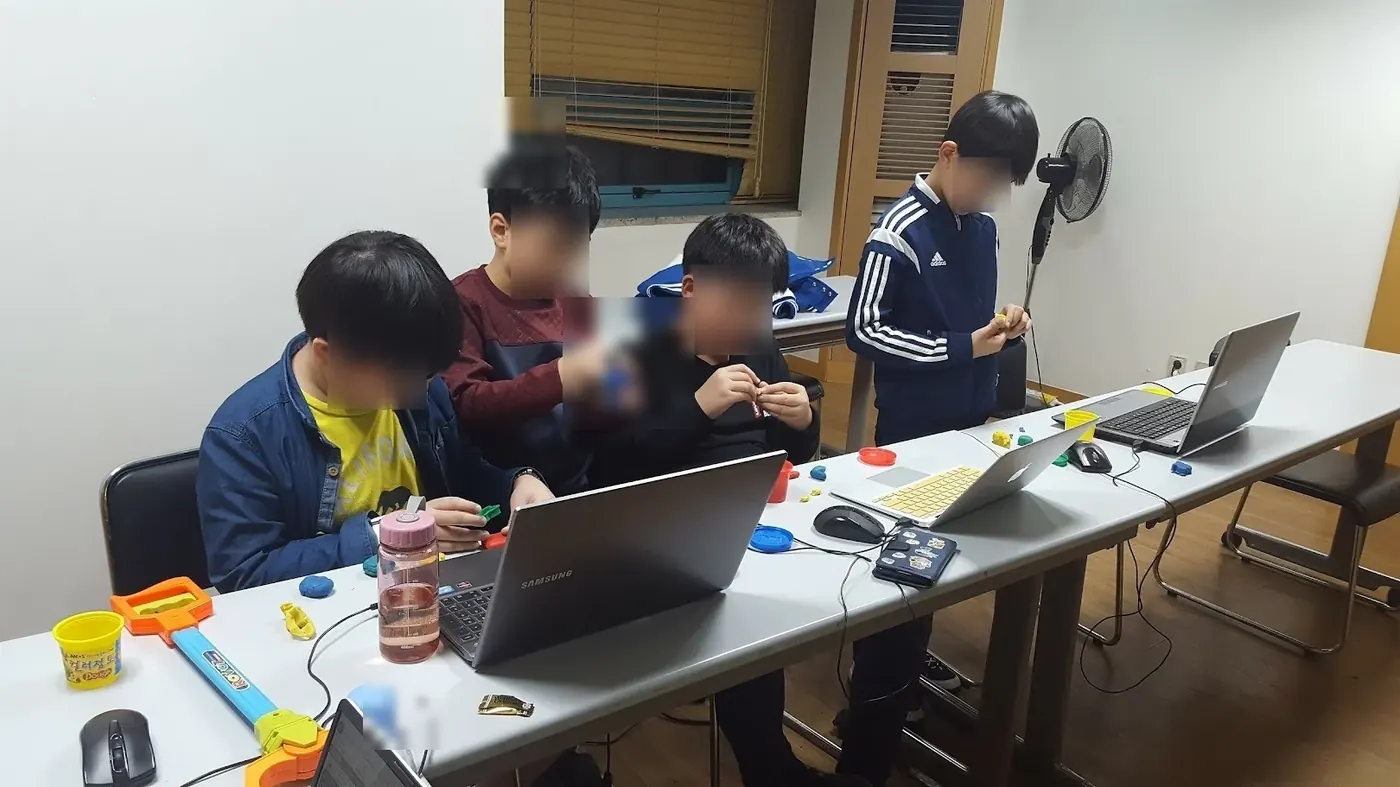
What counts as useful evidence?
A deployable AI app with a release checklist, a scored check set with a before-and-after table, and a 5-minute presentation.
What should an admissions reader be able to see?
The student sets their own question, then designs and tests a feature, model, interface, or solution of their own. In an application or interview, the student separates the material they drew on from their own decisions, results, failed attempts, revisions, and limits.
Useful evidence may include a documented dataset, baseline comparison, model evaluation, error analysis, and a clear record of the student's own decisions.
The evidence an application reads is what the student understood, completed, and can explain.
Questions parents search before choosing this course
Is Building and Launching AI Apps a good fit for students placed by current readiness?
Building and Launching AI Apps is a good fit for students whose starting point should be set by current readiness who are interested in user flows across app screens and accuracy checks for AI responses. CIT offers online or in-person lessons in Apgujeong, Gangnam, Seoul, in one-to-one or small-group formats. Students make a deployable AI app with a release checklist, a scored check set with a before-and-after table, and a 5-minute presentation.
Can my child take Building and Launching AI Apps online or in person, one-to-one or in a small group?
Yes. CIT offers online and in-person lessons at its Apgujeong academy in Gangnam, Seoul, with one-to-one and small-group options. A readiness consultation confirms the available format and starting point for the course.
Does my child need prior subject knowledge or coding experience for Building and Launching AI Apps?
Placement follows a short readiness check. Beginners may start with guided templates. More experienced students receive a deeper implementation path.
What will my child make or practice in Building and Launching AI Apps?
The main evidence is a deployable AI app with a release checklist, a scored check set with a before-and-after table, and a 5-minute presentation. Students also document decisions, tests, feedback, and limits in age-appropriate language.
How can a student describe work from Building and Launching AI Apps in a college application?
The student sets their own question, then designs and tests a feature, model, interface, or solution of their own. In an application or interview, the student separates the material they drew on from their own decisions, results, failed attempts, revisions, and limits. Useful evidence may include a documented dataset, baseline comparison, model evaluation, error analysis, and a clear record of the student's own decisions.
How are the schedule and tuition for Building and Launching AI Apps determined?
CIT confirms the student's readiness, goal, location, class size, and current availability before recommending a course plan. The consultation and level check are free; tuition is explained before enrollment.
When should a student start?
There is no fixed intake month. CIT reviews the student's current school term, readiness, and available hours, then names the point in the course where they should begin.
I appreciated that a simple early idea was extended into an 'AI debate tool'. My child has always been interested in debate and social issues, so seeing that interest connect to the project makes me expect a more complete and distinctive result.
Where else parents check CIT
Choose the course after a readiness check
CIT can compare this course with nearby options by age, subject, and current preparation.