College application research evidence · understanding and original contribution · Seoul and online
Project courseThe student keeps the work and the record they made.
Computer Vision: Find Players and the Ball in Video
Grades 9-12: finding players in match video, telling...
- Free consultation and level check
- Apgujeong classroom or online
- One-to-one or small group
- Registered academy no. 11882

Is Computer Vision: Find Players and the Ball in Video a good fit for high school students in Grades 9-12?
Computer Vision: Find Players and the Ball in Video is a good fit for students in grades 9-12 who are interested in finding players in match video and telling teams apart by jersey color. CIT offers online or in-person lessons in Apgujeong, Gangnam, Seoul, in one-to-one or small-group formats. Students make a detection scorecard with error frames, a 2D tactical minimap with player paths, and a Streamlit app for video upload and CSV download.
Working from a short football clip cleared for use, students read the video frame by frame and check a pretrained model's player, referee, and ball detections against a table they verified by hand, counting misses and false detections. They separate the two teams by jersey color, keep each player's ID across frames, and use pitch landmarks to convert screen positions into 2D pitch coordinates for a tactical minimap. The course ends with a Streamlit app that turns an uploaded clip into a processed video, minimap, and CSV, plus a performance report with error cases. The student sets their own question, then designs and tests a feature, model, interface, or solution of their own. In an application or interview, the student separates the material they drew on from their own decisions, results, failed attempts, revisions, and limits.
Google sign-in is required. Existing account permissions determine access.
My child found the AI classes interesting and stayed with them. It made for a worthwhile school break. Thank you for teaching so attentively.
- Age group
- Grades 9-12
- Academic subject
- AI & Data, Arts, Media & DesignBrowse subject
- Course type
- Course
- Format
- Online or Apgujeong in person · one-to-one or small group
- Teaching language
- Korean by default, with complete English materials
- Curriculum status
- Lesson-readyEvery learning item includes the evidence, worked example, practical work, and tutor guidance required by CIT's lesson-ready standard.
From open research to student-owned work
Students inspect a relevant public source, reproduce the idea, then add an original question, feature, or test. Every source is public, and each lesson names the exact page it opens.
How can I explain this course to my child?
If questions about finding players in match video or telling teams apart by jersey color keep making you ask why, Computer Vision: Find Players and the Ball in Video lets you investigate the question with evidence, then build and defend an extension of your own.
Which interests suggest this course?
- finding players in match video
- telling teams apart by jersey color
- mapping video onto a 2D pitch
What does the student finish?A detection scorecard with error frames, a 2D tactical minimap with player paths, and a Streamlit app for video upload and CSV download.
Is this a good fit?
A strong fit for students who want to understand, build, test, or responsibly use AI systems.
Course placement follows current subject and coding readiness.
Students should be ready to document sources, methods, and limits.
Advanced tools are introduced after a clear baseline.
What will my child learn?
- Read a video's frame rate, frame count, and resolution, and save processed frames as a new MP4.
- Count correct, missed, and false detections of players, referees, and the ball against a hand-checked table.
- Separate teams by jersey color and find where player IDs switch or break when players overlap.
- Compute the transform between screen and pitch from matching points and check the position error at players' feet.
How does the course progress?
- 1Video and Detection Results
Read a permitted short clip frame by frame and score player, referee, and ball detections by hand.
- 2Team Separation and Player Tracking
Label home and away players by jersey color features and count ID switches and broken tracks where players overlap or cross.
- 3Pitch Coordinates and Minimap
Use field lines and intersections to convert screen positions into a 2D minimap with player paths.
- 4Web App, Evaluation, and Public Results
Combine upload, processed video, minimap, and CSV in one web app, and report performance and limits in a README.
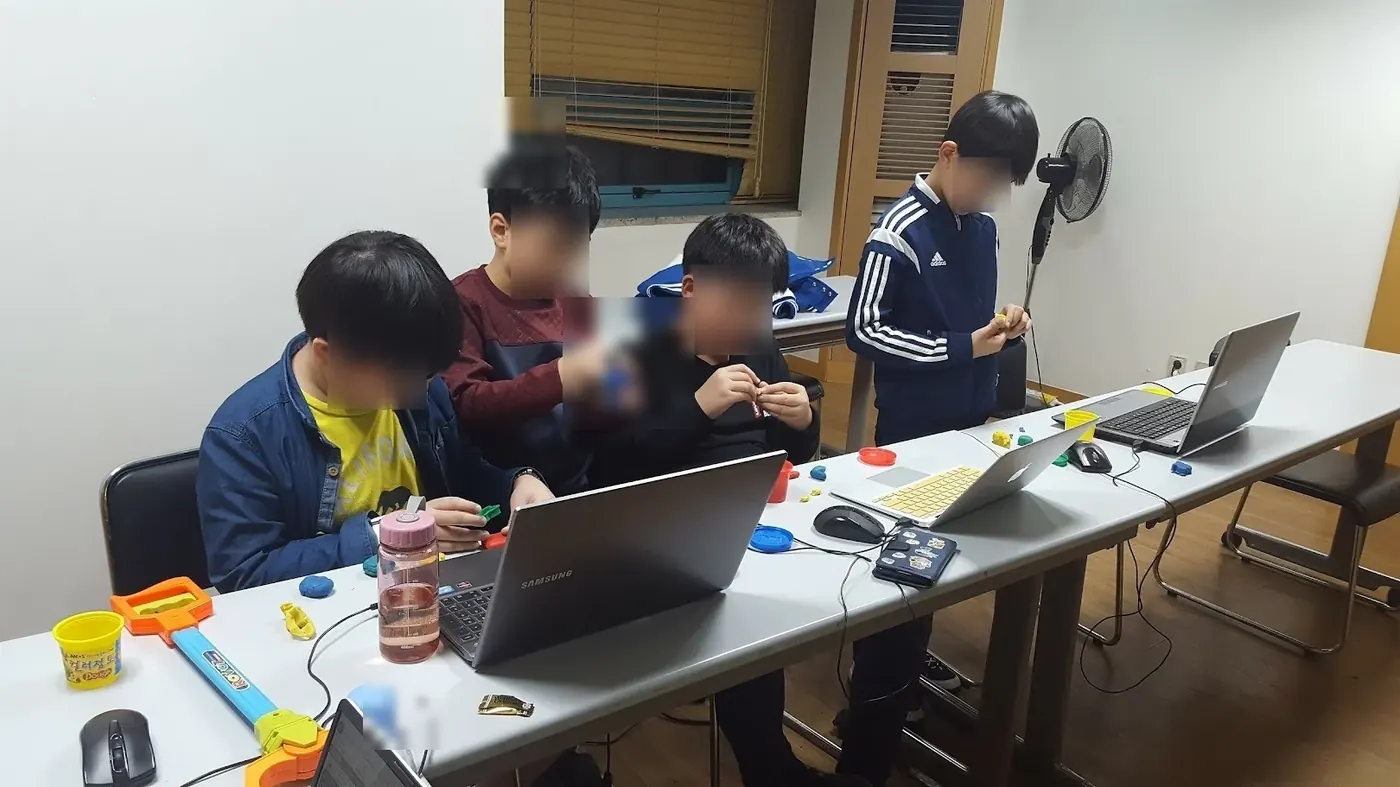
What counts as useful evidence?
A detection scorecard with error frames, a 2D tactical minimap with player paths, and a Streamlit app for video upload and CSV download.
What should an admissions reader be able to see?
The student sets their own question, then designs and tests a feature, model, interface, or solution of their own. In an application or interview, the student separates the material they drew on from their own decisions, results, failed attempts, revisions, and limits.
Useful evidence may include a documented dataset, baseline comparison, model evaluation, error analysis, and a clear record of the student's own decisions.
The evidence an application reads is what the student understood, completed, and can explain.
The real research project this course reads
- roboflow/sports
- pinned commit
42c80c06b6b6 - licence MIT
- text files 20
The student separates the pipeline that turns football video into a top-down view, then changes one value to see what breaks. In class the project is separated into five boxes (input, memory, process, output, control). The lesson opens one of them, changes one value, and leaves the rest closed.
- InputWhat comes in?
One frame of match video and the mode to run
- Memoryopened hereWhat persists?
The pitch dimensions in coordinates, the fitted colour basis that separates teams, and a short trail of recent ball positions
- ProcessWhat transforms?
Detecting players and ball, splitting them into teams, and mapping screen coordinates onto pitch coordinates
- OutputWhat leaves, and who uses it?
A pitch diagram with player positions, and the annotated video
- ControlWhat decides when anything runs?
The runner that picks the mode and feeds frames one at a time
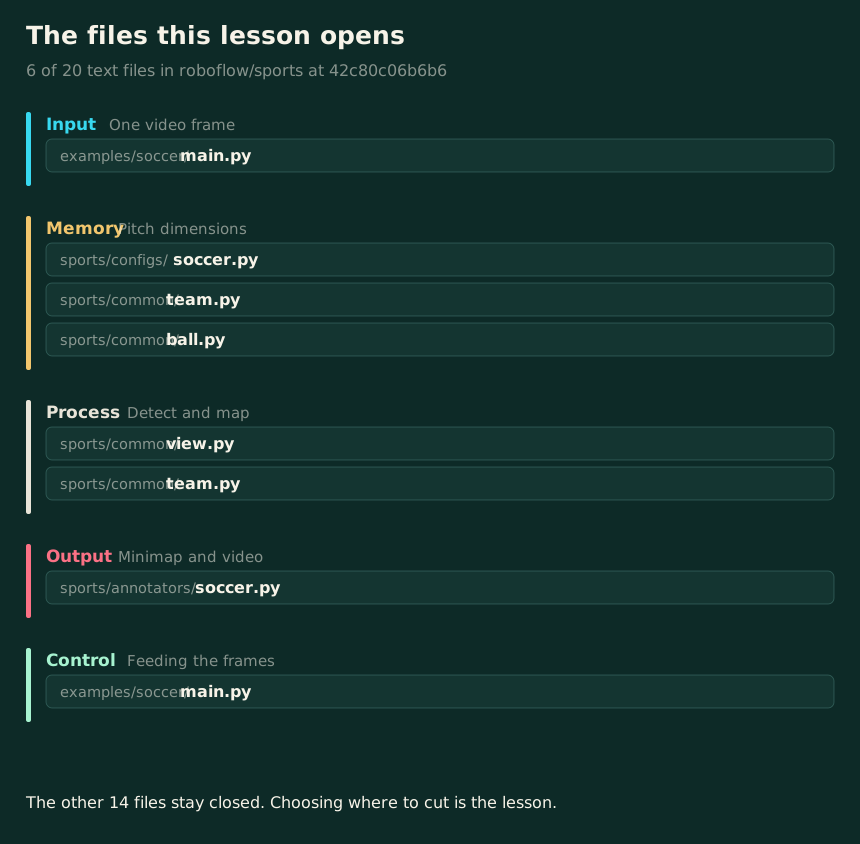
The files the lesson opens, by name. The course is not a walk through the repository; it opens a chosen few and says which.
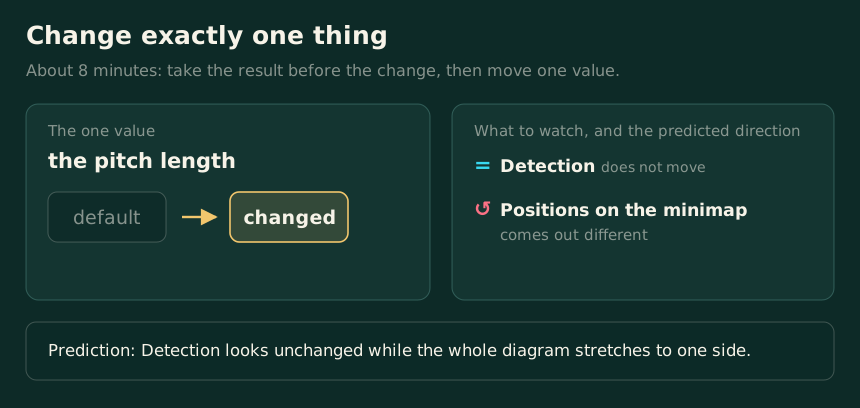
One value moves and everything else stays. The right-hand column is the prediction written before the run, not a result; the work is reconciling the two.
On a narrow screen, swipe the picture sideways.
The universities and labs named here made the open projects this course reads. CIT designed the course independently; it is not an official, affiliated, or endorsed course.

Questions parents search before choosing this course
Is Computer Vision: Find Players and the Ball in Video a good fit for high school students in Grades 9-12?
Computer Vision: Find Players and the Ball in Video is a good fit for students in grades 9-12 who are interested in finding players in match video and telling teams apart by jersey color. CIT offers online or in-person lessons in Apgujeong, Gangnam, Seoul, in one-to-one or small-group formats. Students make a detection scorecard with error frames, a 2D tactical minimap with player paths, and a Streamlit app for video upload and CSV download.
Can my child take Computer Vision: Find Players and the Ball in Video online or in person, one-to-one or in a small group?
Yes. CIT offers online and in-person lessons at its Apgujeong academy in Gangnam, Seoul, with one-to-one and small-group options. A readiness consultation confirms the available format and starting point for the course.
Does my child need prior subject knowledge or coding experience for Computer Vision: Find Players and the Ball in Video?
Course placement follows current subject and coding readiness. Students should be ready to document sources, methods, and limits. Advanced tools are introduced after a clear baseline.
What will my child make or practice in Computer Vision: Find Players and the Ball in Video?
The main evidence is a detection scorecard with error frames, a 2D tactical minimap with player paths, and a Streamlit app for video upload and CSV download. Students also document decisions, tests, feedback, and limits in age-appropriate language.
How can a student describe work from Computer Vision: Find Players and the Ball in Video in a college application?
The student sets their own question, then designs and tests a feature, model, interface, or solution of their own. In an application or interview, the student separates the material they drew on from their own decisions, results, failed attempts, revisions, and limits. Useful evidence may include a documented dataset, baseline comparison, model evaluation, error analysis, and a clear record of the student's own decisions.
How are the schedule and tuition for Computer Vision: Find Players and the Ball in Video determined?
CIT confirms the student's readiness, goal, location, class size, and current availability before recommending a course plan. The consultation and level check are free; tuition is explained before enrollment.
When should a student start?
There is no fixed intake month. CIT reviews the student's current school term, readiness, and available hours, then names the point in the course where they should begin.
I appreciated that a simple early idea was extended into an 'AI debate tool'. My child has always been interested in debate and social issues, so seeing that interest connect to the project makes me expect a more complete and distinctive result.
Where else parents check CIT
Choose the course after a readiness check
CIT can compare this course with nearby options by age, subject, and current preparation.