College application research evidence · understanding and original contribution · Seoul and online
Project courseThe student keeps the work and the record they made.
Mobile App Development
Placement by readiness: how apps save data, sensor...
Where this course comes fromThe universities and labs named here made the open projects or materials this course draws on. CIT designed the course independently; it is not an official, affiliated, or endorsed course of those institutions.
- MITTool used in class
- Free consultation and level check
- Apgujeong classroom or online
- One-to-one or small group
- Registered academy no. 11882

Is Mobile App Development a good fit for students placed by current readiness?
Mobile App Development is a good fit for students whose starting point should be set by current readiness who are interested in how apps save data and sensor permissions. CIT offers online or in-person lessons in Apgujeong, Gangnam, Seoul, in one-to-one or small-group formats. Students make a one-page plan and a screen flow chart, user test records with before-and-after screens, and a test build running on a phone.
The course runs on MIT App Inventor, made by MIT. At the start, each student picks one track and keeps it to the end: App Inventor blocks or Flutter and Dart code. Students work through button events, variables and lists, multiple screens, on-device storage, sensors, the camera, and web data, then plan their own app on one page, revise it after user testing, and demo a test build on a phone. By default the app stores no location or other identifying data, and photos of people are taken only with separate consent. The student then designs and tests an extension of their own: a new question, feature, model, interface, or solution. In an application or interview, the student separates the source research from their own decisions, results, failed attempts, revisions, and limits.
Google sign-in is required. Existing account permissions determine access.
The director and the teacher handled the consultation so well that my child said they wanted to take the Python course.
- Age group
- Placement by readiness
- Academic subject
- Computer Science & CodingBrowse subject
- Course type
- Course
- Format
- Online or Apgujeong in person · one-to-one or small group
- Teaching language
- Korean by default, with complete English materials
- Curriculum status
- Lesson-readyEvery learning item includes the evidence, worked example, practical work, and tutor guidance required by CIT's lesson-ready standard.
From open research to student-owned work
Students inspect a relevant public source, reproduce the idea, then add an original question, feature, or test. The material this course reads was made at MIT. Names identify the source, not affiliation or endorsement.
- MITTool used in class
How can I explain this course to my child?
If questions about how apps save data or sensor permissions keep making you ask why, Mobile App Development lets you investigate the question with evidence, then build and defend an extension of your own.
Which interests suggest this course?
- how apps save data
- sensor permissions
- screen flow design
What does the student finish?A one-page plan and a screen flow chart, user test records with before-and-after screens, and a test build running on a phone.
Is this a good fit?
A strong fit for students who want to create software, strengthen CS fundamentals, or prepare for a computing course or competition.
Placement follows a short readiness check.
Beginners may start with guided templates.
More experienced students receive a deeper implementation path.
What will my child learn?
- Make screens respond to button events using variables, conditions, and lists, and test them with boundary values.
- Tell apart temporary screen values, values saved on the device, and values loaded from the web, and verify each after a full restart.
- Handle allowed, denied, and missing sensor values, and record why and when each permission is requested in a permission log.
- Watch someone use the app without instructions, note where they get stuck, and revise screens and wording from that record.
- MITTool used in class
How does the course progress?
- 1Screens and Components
Run a first screen on a real device and make a button change the text and color.
- 2Events and Data
Keep score in a variable, check the order of overlapping conditions, and add, delete, and select list items.
- 3Multiple Screens and Storage
Pass values between screens and choose storage that survives a full restart, with a default for the first launch.
- 4Sensors and Connected Data
Handle allowed and denied sensor and camera permissions, and load web data with a failure screen and a retry rule.
- 5Planning and Prototyping
Write a one-page plan of the problem and its users, then check the flow with a clickable mockup that has no working logic.
- 6Building and Release
Finish one core feature, revise it after user testing, install a test build, and give a three-minute demo.
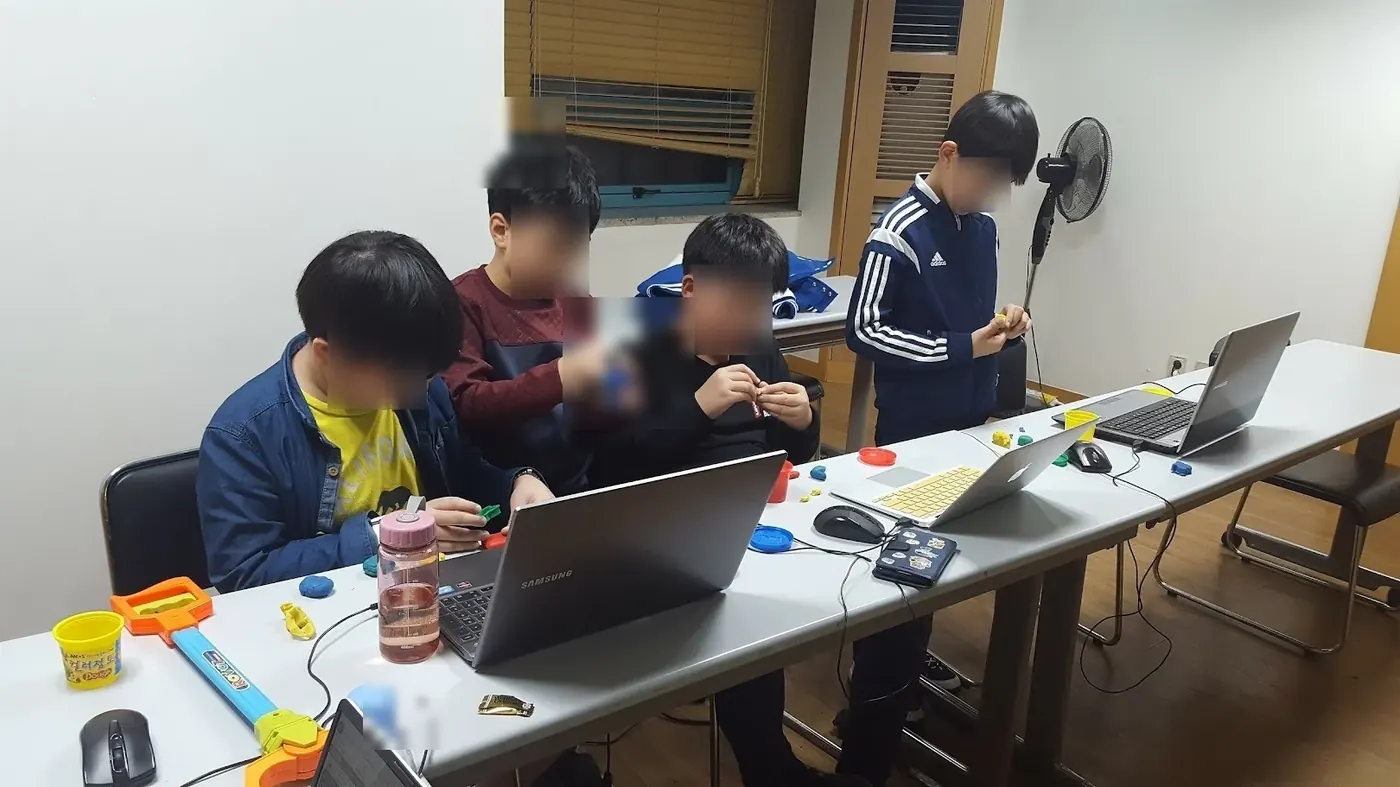
What counts as useful evidence?
A one-page plan and a screen flow chart, user test records with before-and-after screens, and a test build running on a phone.
What should an admissions reader be able to see?
The course runs on MIT App Inventor, made by MIT. The student designs and tests features, models, and screens of their own with it. In an application or interview, the student separates the tool they used from their own decisions, results, failed attempts, revisions, and limits.
Useful evidence may include readable code, tests, version history, design choices, and a working product the student can explain.
These names identify who published the open project the course starts from. The evidence an application reads is what the student understood, completed, and can explain.
- MITTool used in class
Questions parents search before choosing this course
Is Mobile App Development a good fit for students placed by current readiness?
Mobile App Development is a good fit for students whose starting point should be set by current readiness who are interested in how apps save data and sensor permissions. CIT offers online or in-person lessons in Apgujeong, Gangnam, Seoul, in one-to-one or small-group formats. Students make a one-page plan and a screen flow chart, user test records with before-and-after screens, and a test build running on a phone.
Can my child take Mobile App Development online or in person, one-to-one or in a small group?
Yes. CIT offers online and in-person lessons at its Apgujeong academy in Gangnam, Seoul, with one-to-one and small-group options. A readiness consultation confirms the available format and starting point for the course.
Does my child need prior subject knowledge or coding experience for Mobile App Development?
Placement follows a short readiness check. Beginners may start with guided templates. More experienced students receive a deeper implementation path.
What will my child make or practice in Mobile App Development?
The main evidence is a one-page plan and a screen flow chart, user test records with before-and-after screens, and a test build running on a phone. Students also document decisions, tests, feedback, and limits in age-appropriate language.
How can Mobile App Development show research understanding in a college application?
The course runs on MIT App Inventor, made by MIT. The student designs and tests features, models, and screens of their own with it. In an application or interview, the student separates the tool they used from their own decisions, results, failed attempts, revisions, and limits. Useful evidence may include readable code, tests, version history, design choices, and a working product the student can explain.
How are the schedule and tuition for Mobile App Development determined?
CIT confirms the student's readiness, goal, location, class size, and current availability before recommending a course plan. The consultation and level check are free; tuition is explained before enrollment.
When should a student start?
There is no fixed intake month. CIT reviews the student's current school term, readiness, and available hours, then names the point in the course where they should begin.
My child loved that the teacher explained things really well and made the lesson enjoyable. We are very glad too.
Where else parents check CIT
Choose the course after a readiness check
CIT can compare this course with nearby options by age, subject, and current preparation.